Brother PP1 vs PE545 (2026): Which Beginner Embroidery Machine Should You Buy (or Gift)?
Our top picks
 Safer first machine: on-machine screen, USB and Wi-Fi, 135 built-in designsBrother PE5454 × 4 in field · Embroidery only · BrotherPrice not verifiedCheck price on Amazon
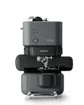 Phone-first and compact: no screen, magnetic 4 × 4 frame, Artspira requiredBrother PP1 (Skitch)4 × 4 in field · Embroidery only · BrotherPrice not verifiedCheck price
 Skip both: if you want T-shirt fronts, totes or larger designs, 5 × 7 is the better startBrother PE9005 × 7 in field · Embroidery only · BrotherPrice not verifiedCheck price
The Brother PP1, sold as Skitch, and the PE545 are the two cheapest current Brother machines with a 4 × 4 inch field. They stitch the same size designs at the same stated top speed, so the choice comes down to how you want to run the machine. The PE545 has a screen and works on its own. The PP1 has no screen and does everything through the Artspira app on a phone or tablet.
This guide compares them using Brother’s own product pages, which we checked on October 26, 2026, and our model data. EmbroideryWise did not stitch on either machine; this is a research-based comparison. Prices and stock below were what Brother USA showed on that date and move often, so check today’s price before you buy.
Quick verdict: PP1 vs PE545
| If you… | Choose | Why |
|---|---|---|
| Want a machine that works without a phone | PE545 | 3.7” touch screen, USB, Wi-Fi and 135 built-in designs |
| Live on your phone and want something compact | PP1 | App-driven, no computer or USB stick needed |
| Are buying a first machine as a gift | PE545 | No dependence on the recipient’s phone or app |
| Want the lower sticker price right now | PP1 (check the sale) | Brother listed $379.99 vs the PE545’s $499.99, but sales end |
| Plan T-shirt fronts, totes or bigger designs | Neither, see the PE900 | Both stop at 100 × 100 mm |
Spec comparison: what is the same and what is different?
| Spec | Brother PP1 (Skitch) | Brother PE545 |
|---|---|---|
| Machine type | Embroidery-only, single needle | Embroidery-only, single needle |
| Maximum embroidery field | 4 × 4 in (100 × 100 mm) | 4 × 4 in (100 × 100 mm) |
| Maximum speed | 400 spm | 400 spm |
| Screen | None (buttons and LED, per our model data) | 3.7” color LCD touch panel |
| Built-in designs | Not listed; 100 free with Artspira connection | 135 (75 motifs, 60 alphabet and frame) |
| Built-in fonts | Not listed | 10 |
| Design transfer | Bluetooth LE, Artspira app (required) | USB, Wi-Fi, Design Database Transfer, Artspira app |
| Automatic thread cutter | Yes, per Brother’s spec table | Yes |
| Frame included | Magnetic 4 × 4 frame | 4 × 4 frame set |
| Needle threading | Not stated on the product page | Advanced needle threading system |
| Weight | 16.6 | 14.07 |
| Dimensions | 9” × 17” × 12” | 7.76” × 16.50” × 12.09” |
| Warranty label | 1/2/25 Year Limited | 1/2/25 Year Limited |
| Brother status | Current | Current |
Two things stand out. First, nothing about the embroidery itself differs on paper: same field, same speed. Second, nearly every difference is about the interface. That is why this comparison is less about stitch quality and more about whether you want to run an embroidery machine from a phone.
What the PP1 is, and what “no screen” really means
The PP1 is a compact single-needle machine that Brother pitches at people who have never embroidered. Brother’s page says the Artspira app is required to use it. You can use Artspira Standard, which transfers designs from the app to the machine and includes a drawing tool, or Artspira+, which adds importing designs, digitizing and advanced drawing tools. We have not evaluated either tier, and Brother’s page does not say what Artspira+ costs, so check that on the app before you count on those features.
In practice, “no screen” means:
- You pick and send every design from the app. There is no on-machine menu to browse. Brother advertises 100 free designs with an Artspira connection rather than a built-in library.
- A dead phone or app problem stops the work. There is no fallback to USB, which the PP1 does not list.
- Phone or tablet compatibility matters. Confirm your device works with Artspira before ordering. We have not verified the supported device list.
- Editing happens in the app. That can suit people who like drawing line art on a phone, and frustrate people who want to nudge a design on the machine.
On the plus side, the included magnetic 4 × 4 frame, the small footprint and the lack of a computer or USB stick are real conveniences for a craft-table setup. Brother’s carton list also includes black embroidery thread, felt and backing material, so a first test stitch needs little else. See our 4 × 4 vs 5 × 7 hoop guide for what fits in that field.
What the PE545 adds
The PE545 is the more conventional machine. Per Brother, it has a 3.7” LCD with on-screen editing and drag-and-drop positioning, 135 built-in designs, 10 built-in fonts, wireless LAN, a USB port with built-in memory, and an advanced needle threading system. Wireless transfer works through Brother’s free Design Database Transfer software, and the PE545 also supports Artspira, so the app is optional rather than required.
That flexibility is what you pay for. The PE545 works if your phone dies, your Wi-Fi drops or you want to load a file from a USB stick. Lettering is built in, which matters for names and monograms, covered in our monogramming guide. For the PE545’s relationship to the discontinued PE535, see our PE535 vs PE545 comparison.
Price and availability: what we saw on October 26, 2026
We checked Brother USA’s pages directly and did not check other retailers.
| Machine | Brother USA listing on Oct 26, 2026 | Stock note |
|---|---|---|
| PP1 (Skitch) | $379.99, shown with an original price of $529.99 | Add to Cart available |
| PE545 | $499.99 | Showed Out of Stock |
Take those numbers carefully. The PP1’s lower price is shown as a sale, and Brother’s “original price” is a list price that we cannot say anyone actually paid. Without the sale the PP1 is over $500, so judge it against what you would pay on a normal day. The PE545’s $499.99 is its listed price, but Brother’s page showed it out of stock, and “out of stock” at Brother’s store does not mean discontinued. Stock comes and goes at different retailers. We have not verified any Black Friday 2026 offers on either machine.
If you are buying either machine, remember Brother’s warranty statement ties coverage to the end-use purchaser and to purchases from an authorized US reseller. Buy from a real retailer, and keep the receipt. See our Black Friday embroidery guide for how to judge a sale against the regular price.
Which is better for a gift?
For a gift, the PE545 is the safer choice, with one clear exception.
Choose the PE545 as a gift when you do not know how comfortable the recipient is with apps, or when they like a physical screen. It works from the first minute without pairing a phone, and the built-in designs and fonts give them something to stitch right away. It is also the better pick if they might later want to load files from a computer.
Choose the PP1 as a gift when the recipient already designs on a phone or tablet, wants a compact machine for a small craft space, or has said they want something simple. Check the app and device support first, and keep the gift receipt in case the setup does not suit them.
Before either, make sure they will be happy with a 4 × 4 field. A 100 × 100 mm field fits monograms, names, left-chest logos, patches and small motifs. It will not fit a full T-shirt front or most tote designs in one hooping. Our embroidery machine gift guide matches machines to people in more detail, and our Christmas projects guide shows what fits a 4 × 4 hoop. Do not forget supplies: thread, stabilizer and extra needles beyond what is in the box.
Which is better for a beginner who is buying for themselves?
If you are buying for yourself, ask three questions.
- Do I want to run the machine from my phone? If yes, the PP1 is a fit. If you would rather browse designs on a screen, buy the PE545.
- Do I want built-in designs and lettering? The PE545 has 135 designs and 10 fonts built in. The PP1 relies on Artspira content, with 100 free designs advertised.
- Do I need to move files by USB or Wi-Fi? The PE545 supports USB and wireless transfer. The PP1 lists Bluetooth LE to the app.
Most first-time buyers who sew or craft without being app-first will be happier with the PE545. The PP1 is the more focused, phone-centered choice. Our best embroidery machine for beginners puts the PP1 in the “phone-first, compact” slot and the PE545 in the embroidery-only slot, which matches this comparison.
When to skip both and buy a 5 × 7
Both machines have the same limit: 100 × 100 mm. That is 10,000 mm². A 5 × 7 field such as the Brother PE900 is 130 × 180 mm, or 23,400 mm², about 2.34 times the area. The PE900 also lists 193 designs, 13 fonts, up to 650 spm, jump stitch trimming, USB, Wi-Fi and Artspira.
The rule from our PE535 vs PE545 guide applies here too:
- Stay with 4 × 4 if every design you can picture is a monogram, name or small motif under about 95 mm.
- Look at 5 × 7 if even one planned project is a T-shirt front, a tote or a design you already like at 5 × 7.
Watch the inch trap as well. Four inches is 101.6 mm, so a design sized at exactly 4.00 inches can be slightly larger than the 100 mm field. Check design dimensions in millimeters, or run them through our hoop fit checker. If you are unsure which machine suits your projects, the machine finder narrows it down, and the Brother lineup guide shows where the PP1, PE545 and the sewing-and-embroidery combos sit.
Our recommendation
Buy the PE545 if you want a conventional first machine that works on its own, you value on-machine editing and built-in lettering, and you can find it in stock at a price you accept. Buy the PP1 only if you are comfortable controlling everything from the Artspira app and the sale price makes sense against what you would pay normally. If your projects are bigger than 4 × 4, skip both and start with the PE900.
For either machine, check the current price on Amazon or compare it with Brother’s own store, then read the full PE545 review or the full PP1 review before you commit.
Spec comparison
Manufacturer specifications, checked October 2026. Maximum speed is a ceiling, not typical output.
| Machine | Field | Type | Designs | Max speed | Transfer |
|---|---|---|---|---|---|
| Brother PP1 (Skitch) | 100 × 100 mm (4 × 4 in) | Embroidery-only | — | 400 spm | Bluetooth LE, Artspira app (required) |
| Brother PE545 | 100 × 100 mm (4 × 4 in) | Embroidery-only | 135 | 400 spm | USB, Wi-Fi, Artspira app |
| Brother PE900 | 130 × 180 mm (5 × 7 in) | Embroidery-only | 193 | 650 spm | USB, Wi-Fi, Artspira app |
Frequently asked questions
Is the Brother PP1 the same as the Skitch?
Does the Brother PP1 need a phone or tablet?
Is the PP1 or the PE545 better for a beginner?
Do the PP1 and PE545 have the same hoop size?
How many built-in designs does the PP1 have?
Should I wait for Black Friday to buy either machine?
Sources
- Brother Skitch PP1 product page and specifications (Brother USA) · checked 2026-10-26 — 4 × 4 in (100 × 100 mm) maximum embroidery area; 400 SPM; Artspira required; 100 free designs with Artspira connection; magnetic 4 × 4 frame included; automatic thread cutter; $379.99 listed as $529.99 original price
- Brother PE545 product page and specifications (Brother USA) · checked 2026-10-26 — 4 × 4 in maximum embroidery area; 400 spm; 3.7 in LCD; 135 built-in designs and 10 fonts; wireless LAN, USB and Artspira; $499.99 and listed Out of Stock
- Brother home sewing limited warranty statement (PDF) · checked 2026-10-26 — Coverage is given to the end-use purchaser and requires purchase from an authorized Brother reseller in the US
Get new guides by e-mail
One short e-mail when EmbroideryWise publishes a new guide. No spam, no sharing your address, and you can unsubscribe in one click.