Brother PE535 vs PE545: differences, and when to skip both
Brother PE535 vs PE545: both are 4 × 4 embroidery-only machines. Compare every spec, Brother’s data quirks, warranty status, and when a 5 × 7 PE900 is smarter.
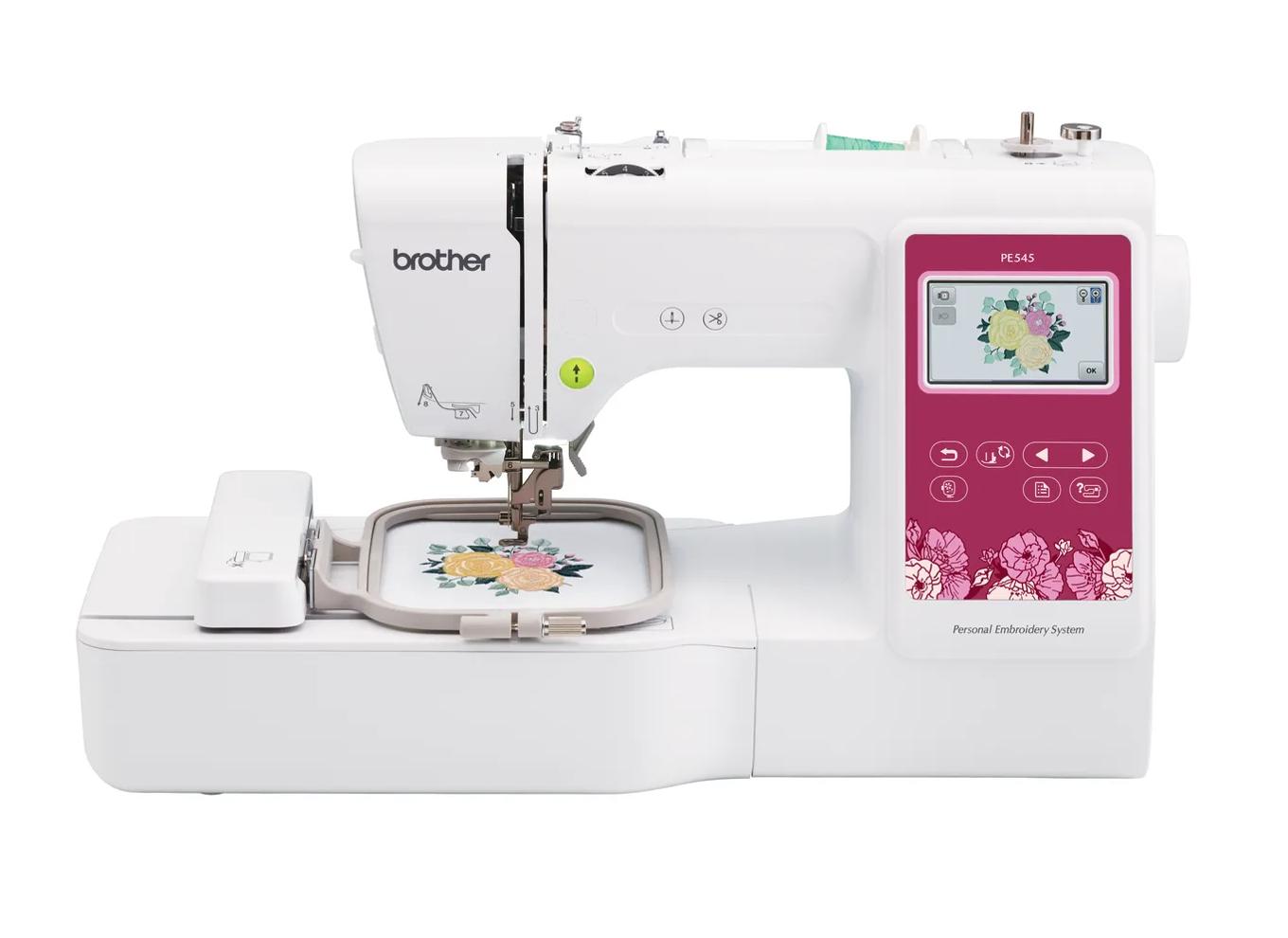
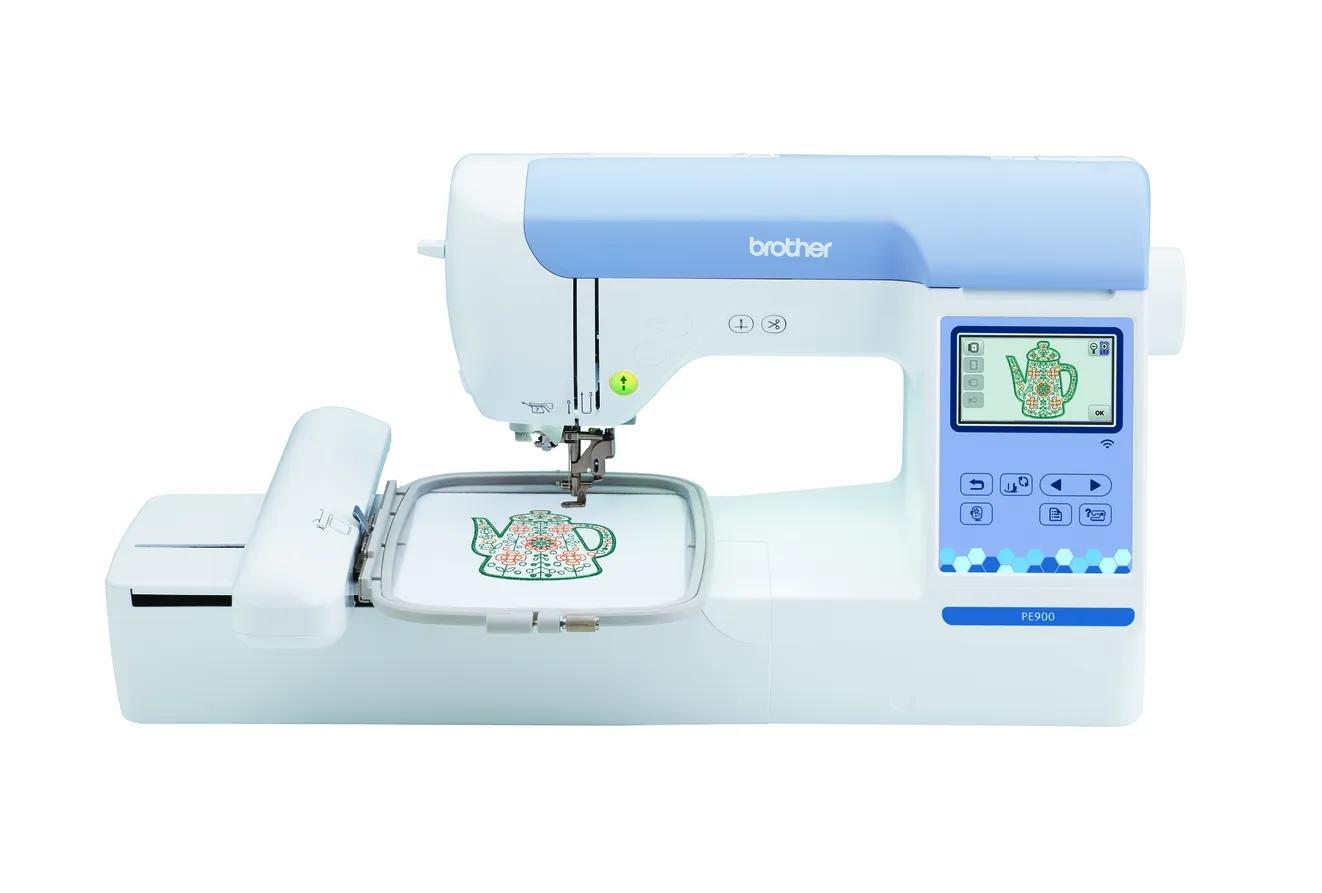
The PE535 and PE545 are both Brother embroidery-only machines with the same 4 × 4 inch (100 × 100 mm) field. The PE545 is the current model and adds Wi-Fi, Artspira, a 3.7" screen, a stated 400 spm speed, 135 designs and 10 fonts; the PE535 is discontinued, USB-only, with 80 designs and 9 fonts. If any design you want is larger than 100 mm on a side, skip both and look at the 5 × 7 PE900.
Same 4 × 4 field (100 × 100 mm) on both; neither stitches a design larger than that in one hooping.
The PE545 adds Wi-Fi, Artspira, a 3.7" screen and more built-in content; Brother lists the PE535 as discontinued.
Brother counts designs differently on the two pages, so the 80 vs 135 gap is smaller than it looks.
Jump to a section
Our shortlist
Picks are based on published manufacturer specifications checked October 7, 2026. Confirm current price, warranty and included accessories with the seller.
Buy new: small designs only, wants Wi-Fi and a warranty
The PE535 was Brother’s entry-level 4 × 4 embroidery-only machine for years, and the PE545 replaced it. Both still come up in searches because leftover and used PE535s are common, often at a lower price than a new PE545.
This guide compares the two line by line using Brother’s own pages and manuals (checked October 7, 2026), flags where Brother counts things differently, and then answers the question that matters more for many buyers: should you buy a 4 × 4 machine at all, or go straight to the 5 × 7 PE900? EmbroideryWise did not stitch on these machines; this is a research-based comparison.
Status: current vs discontinued
PE535
PE545
Brother status
Discontinued
Current (Brother’s own store showed it out of stock on October 7, 2026)
Where you will find it
Used, refurbished, remaining stock
New from Brother and authorized resellers
Warranty label on Brother’s page
1/2/25 Year Limited
1/2/25 Year Limited
“Out of stock” on Brother’s site is not the same as discontinued. Brother still presents the PE545 as a current model; stock comes and goes at different retailers.
For the PE535, the warranty detail matters. Brother’s home sewing warranty statement says coverage is given only to the end-use purchaser and is void if the machine was not bought from an authorized Brother reseller in the US. Periods run from the purchase date: one year parts and labor, two years for electronic components, 25 years for head parts such as shafts. So remaining new stock from an authorized reseller should be covered from your receipt date, while a secondhand PE535 should be treated as having no Brother warranty.
Every spec difference, side by side
Spec
Brother PE535
Brother PE545
Machine type
Embroidery-only
Embroidery-only
Maximum embroidery field
4 × 4 in (100 × 100 mm)
4 × 4 in (100 × 100 mm)
Built-in designs
80 designs, plus 10 frame patterns listed separately
135 total (Brother: 75 motif designs + 60 alphabet/frame designs)
Not listed on the product page; manual describes cutting at each color end
Yes, automatic thread cutter
Jump stitch trimming
Not stated by Brother
Not stated by Brother
Needle threading
Automatic needle threading
Advanced needle threading system
Included hoop
Not itemized on the product page
One 4 × 4 in frame
Weight
14.99 lb
14.07 lb
Dimensions (W × D × H)
7.756 × 16.5 × 12.08 in
7.76 × 16.50 × 12.09 in
Max stitches per design (Brother support article)
30,000 for 4 × 4
30,000 for 4 × 4
Max stitches per design (operation manual)
Not stated in the sources checked
Up to 100,000
Native file format
PES
PES
Brother status
Discontinued
Current
Brother’s counting quirks and conflicts
Design counts are not apples to apples. The PE535 page lists 80 designs and, separately, 10 frame patterns. The PE545’s 135 includes 60 alphabet and frame designs alongside 75 motifs. So the gap in actual picture motifs is closer to 80 vs 75 plus extra lettering and frame content than the headline 80 vs 135 suggests.
Stitch limits conflict. Brother’s support article on unrecognized designs lists a 30,000-stitch maximum for a 4 × 4 hoop. The PE545 manual says up to 100,000 stitches per pattern. Most 4 × 4 designs are far below either number, but if a dense file refuses to load, this is one reason Brother gives. Check your manual.
Thread cutting on the PE535 appears in the manual but not on the product page. Expect cutting at the end of each color, not trimming of jump stitches within a color.
What the PE545 actually adds
The physical machine is nearly identical in size and weight, and the field is the same. The upgrades are about workflow:
Wireless transfer and Artspira. Send designs from a computer or phone without a USB stick. See how to transfer embroidery designs for both methods.
A larger, stated 3.7” screen for on-screen editing.
One more font and more lettering/frame content, useful for monogramming.
A stated top speed of 400 spm. Brother does not give one for the PE535, so you cannot compare speed from Brother’s data.
None of these change what fits in the hoop.
Which should you buy?
Buyer
Pick
Why
New buyer, small designs only, wants a warranty
PE545
Current model with Brother coverage from an authorized reseller
Wants to send designs from a phone
PE545
Wi-Fi and Artspira; the PE535 is USB-only
Lowest cost for monograms, patches and baby items
Used PE535
Same 4 × 4 field if the price is clearly lower
Plans T-shirt fronts, totes, larger quilt blocks
PE900 (skip both)
130 × 180 mm field
Wants to sew seams too
Neither
Look at the SE700 or SE2000 combos
Choose the PE545 if…
Your projects really are small (names, initials, small motifs, patches), you want a new machine with a warranty, and you like the idea of wireless transfer. It is the entry point in Brother’s current embroidery-only line.
Choose a PE535 if…
You find one tested and complete, at a price clearly below a new PE545, and you are fine with a USB stick. You give up wireless and a warranty, not stitch area.
What to check on a used PE535
Small machines are easy to ship and easy to list with the wrong model name, so verify before paying:
Model label on the machine says PE535 (not an older PE525 or a different series).
The 4 × 4 hoop and embroidery foot are included. Without the hoop, you will be buying one separately.
A recent stitch-out of a built-in design with lettering, ideally on video, so you can see the machine run through a color change and cut.
USB port works. It is the PE535’s only way to load designs, so ask the seller to load a file from a stick.
The power cord and bobbin case are present, plus the manual (or plan to download it from Brother).
This is the decision that causes the most regret with 4 × 4 machines. A 4 × 4 field is 100 × 100 mm, which is 10,000 mm². The PE900’s 5 × 7 field is 130 × 180 mm, or 23,400 mm²: 2.34 times the area.
That extra room changes what you can make in one hooping:
Project
Fits 4 × 4 (100 × 100 mm)?
Fits 5 × 7 (130 × 180 mm)?
Left-chest monogram or small logo
Yes (Printful caps left-chest embroidery at 4 × 4 in)
Yes
Name across a towel border, 150 mm wide
No
Yes, rotated
Tote bag design about 120 × 160 mm
No
Yes
Larger front design such as Printful’s 10 × 6 in embroidery area
No
No (needs a 6 × 10 field)
Patch or small appliqué under 95 mm
Yes
Yes
Watch the inch trap, too. Four inches is 101.6 mm, so a design sold as “4 × 4” at exactly 4.00 inches can exceed a 100 mm field by a hair. Design shops usually size 4 × 4 files to fit, but always check the millimeter dimensions or run them through the hoop fit checker.
The PE900 also brings jump stitch trimming, 193 designs, 13 fonts and up to 650 spm. It costs more than either 4 × 4 machine, so the rule is simple:
Stay with 4 × 4 if every design you can picture is a monogram, name or small motif under about 95 mm.
Go to the PE900 if even one of your planned projects is a T-shirt front, a tote or a 5 × 7 design you already like.
The PE535 and PE545 stitch the same size designs. The PE545 is the current model with wireless transfer, a bigger stated screen and a warranty when bought new; the PE535 is a discontinued, USB-only machine that only makes sense used and cheap.
Before choosing between them, decide whether 4 × 4 is enough. If it is, buy the PE545 new or a PE535 used. If it is not, both are the wrong machine and the PE900 is the place to start. For more budget routes, see our budget embroidery machine guide.
Spec comparison
Manufacturer specifications, checked October 7, 2026. Maximum speed is a ceiling, not typical output.
The most universal way to move designs from computer to machine. Check your machine manual for supported USB media before buying; a small, plain drive is the safest choice.Learn more
Permanent support for knits, T-shirts, sweatshirts and anything that stretches. Medium weight suits most first projects; buy enough to test before the real garment.Learn more
Temporary support for stable wovens such as canvas, denim, twill and quilting cotton. Tear gently while supporting the stitches; not a substitute for cut-away on stretchy fabric.Learn more
No. Brother lists a 4 × 4 inch maximum embroidery area on both. The PE545’s upgrades are wireless transfer, Artspira, a larger screen and more built-in designs and fonts.
Is the Brother PE535 discontinued?
Yes. Brother’s PE535 product page lists it as discontinued. The PE545 is its current 4 × 4 embroidery-only replacement.
Does the PE535 cut threads automatically?
Brother’s PE535 product page does not list a thread cutter, but the operation manual describes automatic thread cutting at the end of each color. The PE545 page lists an automatic thread cutter.
Can a 4 × 4 machine embroider a T-shirt?
Yes, for small placements like a left-chest monogram or a small motif. A full-front design is usually much larger than 100 × 100 mm, so a 5 × 7 or bigger machine is a better fit for that.
Is a 4 × 4 design exactly 4 inches?
Not quite. Brother’s 4 × 4 field is 100 × 100 mm, while 4 inches is 101.6 mm, so a design sized at exactly 4 inches can be slightly too big. Check designs in millimeters.
✓
Sources & method
This guide is compiled from manufacturer documentation and specialist sources, not hands-on testing. We link every source so you can check it. Specifications change, so confirm details against your exact model manual. How we research.
 Buy new: small designs only, wants Wi-Fi and a warrantyCheck price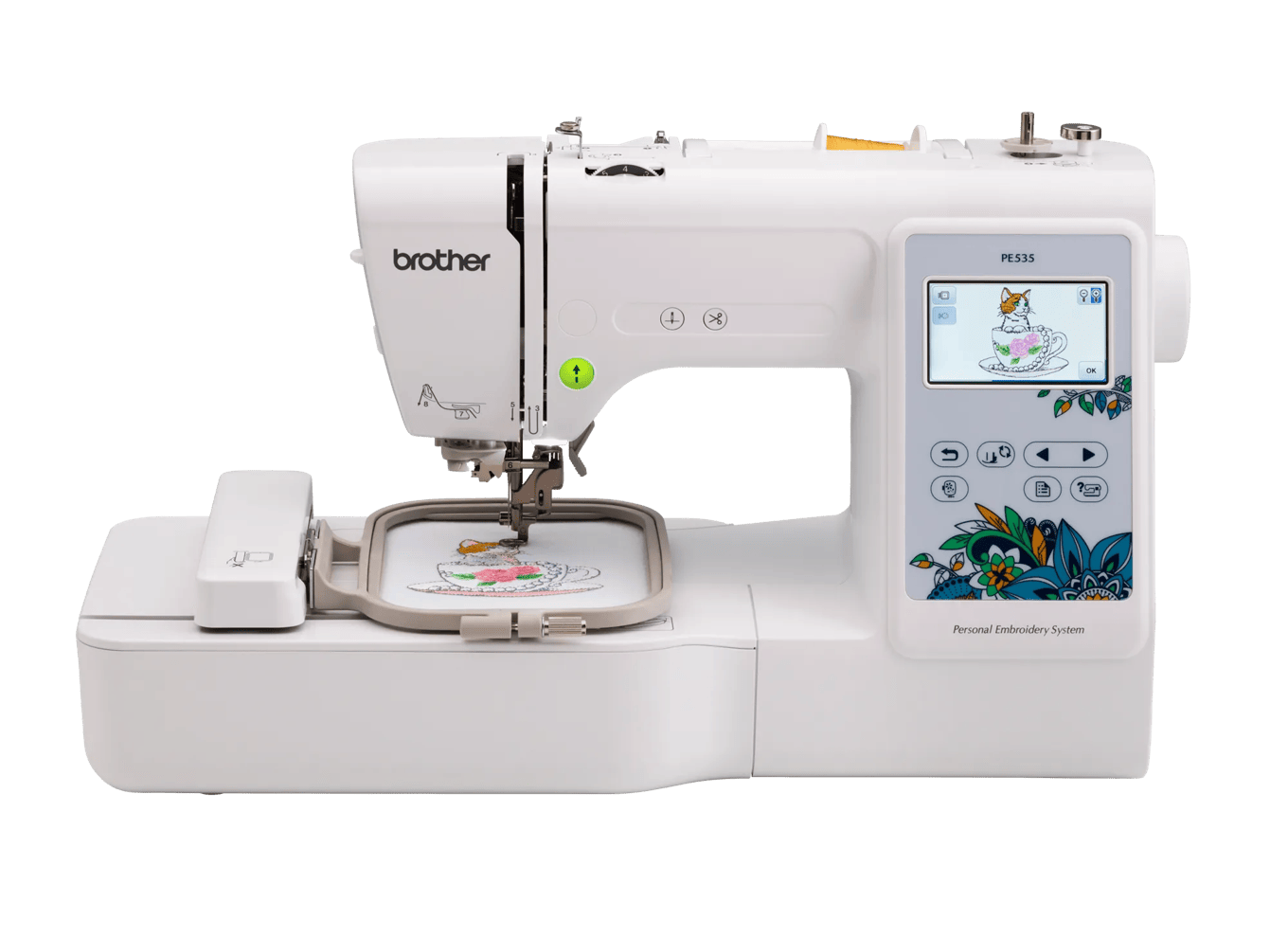
 Skip both: anyone planning T-shirt fronts, totes or larger designsCheck price