Comparisons
Brother SE1900 vs SE2000: what changed and which to buy
Brother SE1900 vs SE2000: both are 5 × 7 sewing and embroidery combos. See every spec difference, Brother’s data conflicts, and who should buy which.
As an Amazon Associate I earn from qualifying purchases. It does not change the price you pay. How we handle links.
Our picks at a glance
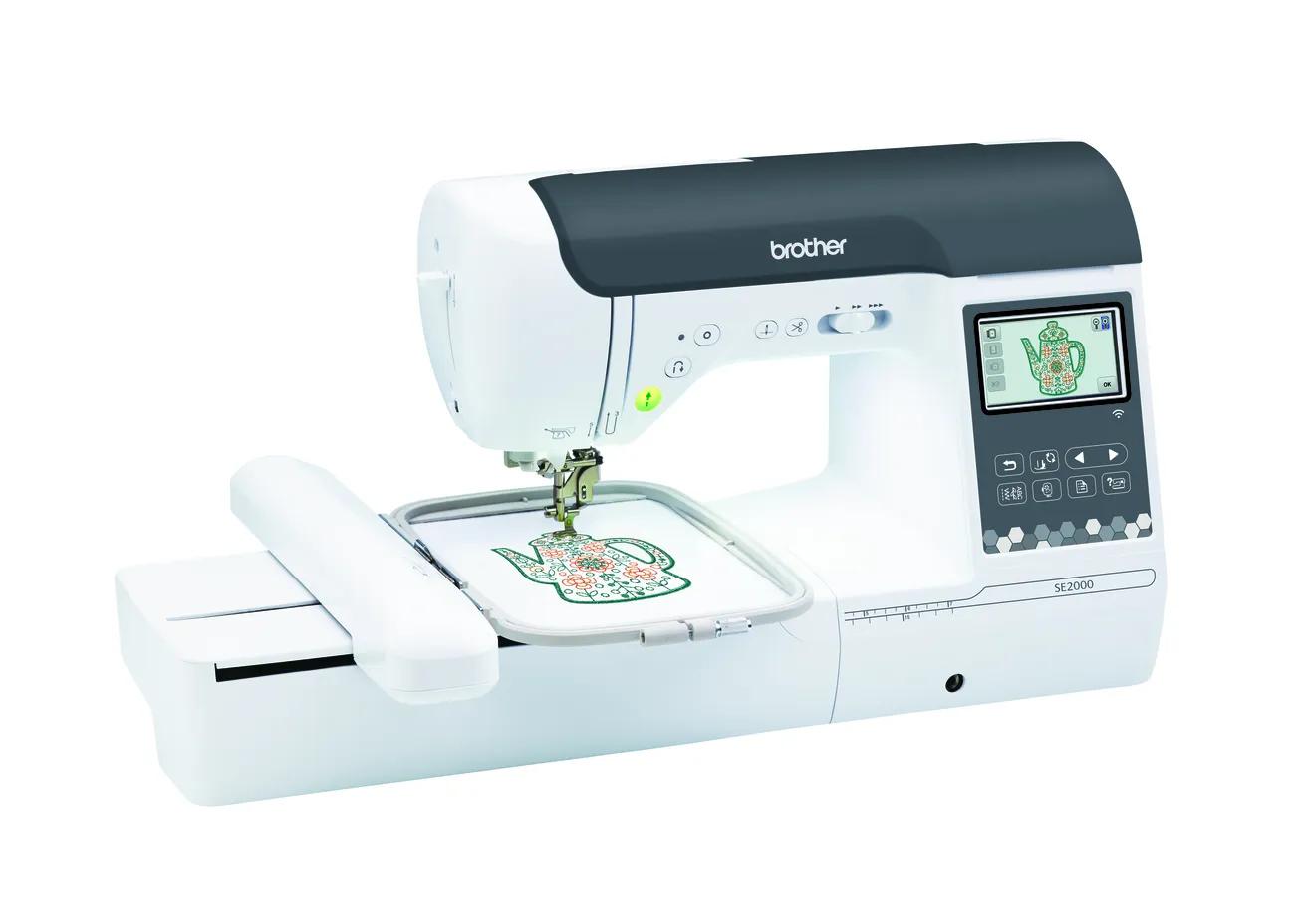 Buy new: first-and-only machine buyers who want sewing, 5 × 7 and a warrantyCheck price
Brother SE2000
5 × 7 in · Sewing + embroidery · Wi-Fi
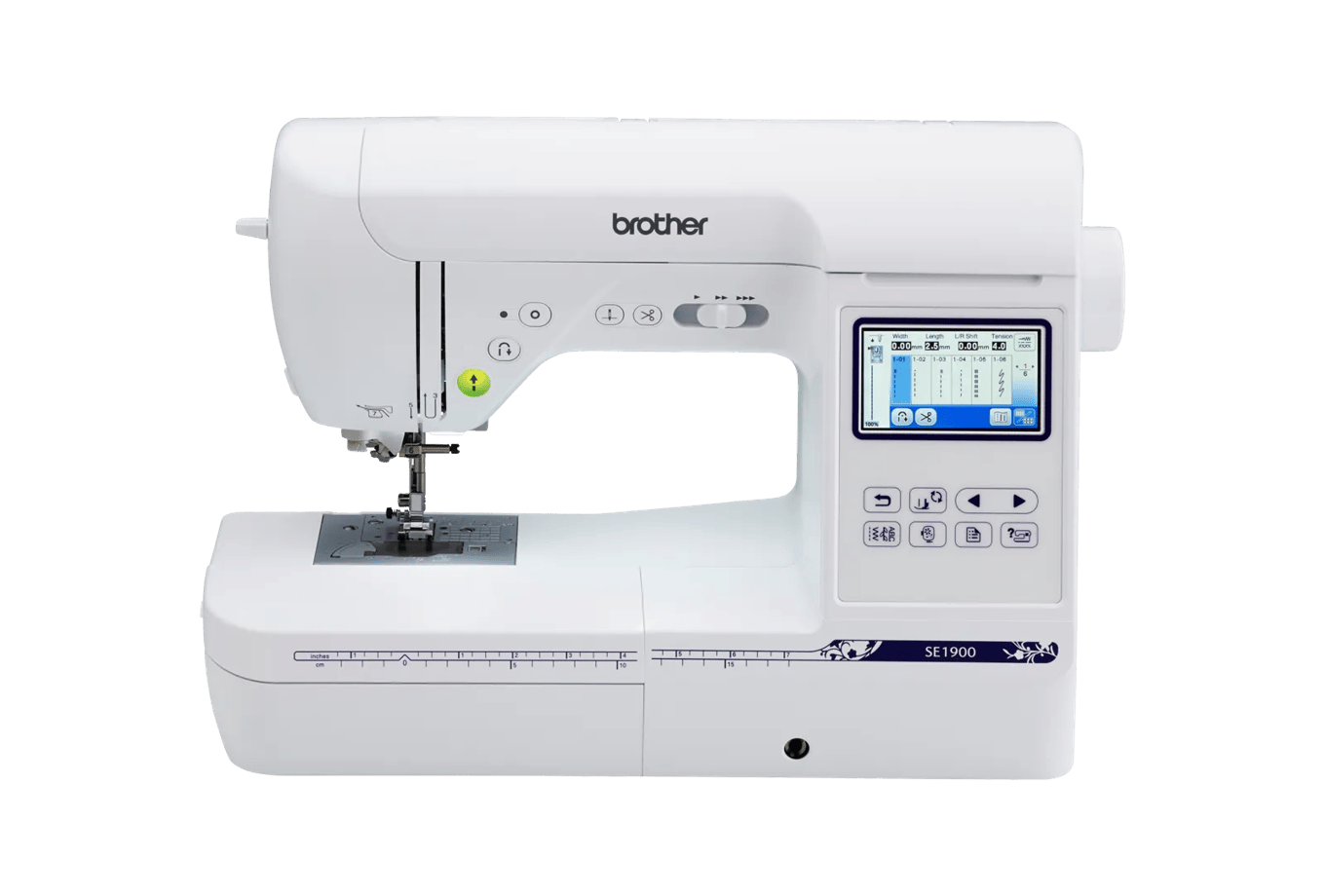 Buy used: budget sewists happy with USB who find a tested machine cheaplyCheck availability
Brother SE1900
5 × 7 in · Sewing + embroidery
Quick answer
The SE1900 and SE2000 are both Brother sewing and embroidery combos with the same 5 × 7 inch embroidery field. The SE2000 is the current model and adds Wi-Fi, Artspira, jump stitch trimming, a 3.7" screen, 193 designs and 13 fonts; the SE1900 is discontinued, USB-only and has 138 designs. Buy the SE2000 new unless a used SE1900 is clearly cheaper and you accept no Brother warranty.
- Same 5 × 7 embroidery field and the same 850 spm sewing speed; sewing stitches are nearly identical (240 vs 241).
- The SE2000 adds Wi-Fi, Artspira, jump stitch trimming, 193 designs, 13 fonts and a 3.7" screen.
- Brother lists the SE1900 as discontinued, and its data conflicts on designs, fonts and thread cutting.
Jump to a section
Our shortlist
Brother SE2000
Best for: Beginners who want one machine for both sewing and 5 × 7 embroidery.
- Field5 × 7 in (130 × 180 mm)
- TypeSewing + embroidery
- Built-in designs193
- Max speed650 spm
- TransferUSB, Wi-Fi, Artspira app
Why pick it
- Sewing and 5 × 7 embroidery in one machine
- 241 sewing stitches
- Wireless transfer, Artspira and jump stitch trimming
Think twice if
- Embroidery field no larger than the PE900
- You cannot sew and embroider at the same time
- Converting between modes takes setup
Brother SE1900
Best for: Buyers who find one used or as remaining stock and want 5 × 7 embroidery plus sewing on a budget.
- Field5 × 7 in (130 × 180 mm)
- TypeSewing + embroidery
- Built-in designs138
- TransferUSB
Why pick it
- 5 × 7 embroidery plus 240 sewing stitches
- Large used market
Think twice if
- Discontinued by Brother
- USB only, no wireless
- Brother’s published data conflicts on designs, fonts and thread cutting
The SE1900 was the 5 × 7 sewing and embroidery combo most beginners bought before the SE2000 arrived. It still shows up everywhere as used and leftover stock, so shoppers end up comparing a cheaper SE1900 with a new SE2000 and wondering what the difference actually is.
Short version: the embroidery field and sewing speed are the same, and the SE2000 is the current model with wireless transfer and jump stitch trimming. Everything below comes from Brother’s product pages and manuals (checked October 7, 2026), including the places where Brother’s SE1900 data contradicts itself. EmbroideryWise did not stitch on either machine.
Status: what “discontinued” means for you
| SE1900 | SE2000 | |
|---|---|---|
| Brother status | Discontinued | Current |
| Where you will find it | Used, refurbished or remaining stock | New from Brother and authorized resellers |
| Warranty label on Brother’s page | “25 Year Limited Warranty” | “1/2/25 Year Limited Warranty” |
Brother’s home sewing warranty statement explains the 1/2/25 structure: one year of parts and labor, two years for electronic pattern control and selection components, and 25 years for head parts such as shafts and connecting rods, with exclusions such as the motor and needles. The SE1900 page shortens the label to “25 Year Limited Warranty,” which likely refers to the same tiered statement, but Brother does not say so on the page.
The bigger issue is who gets the coverage. Brother’s statement says the warranty is given only to the end-use purchaser, and it is void if the machine was not bought from an authorized Brother reseller in the US. Coverage runs from the date of purchase.
- A never-sold SE1900 from an authorized reseller should carry Brother’s warranty from your purchase date. Keep the dated receipt.
- A used SE1900 from a private seller or marketplace should be treated as having no Brother warranty.
Every spec difference, side by side
| Spec | Brother SE1900 | Brother SE2000 |
|---|---|---|
| Machine type | Sewing and embroidery combo | Sewing and embroidery combo |
| Maximum embroidery field | 5 × 7 in (130 × 180 mm) | 5 × 7 in (130 × 180 mm) |
| Built-in embroidery designs | 138 (Brother data also says 136 and “over 100”) | 193 |
| Embroidery fonts | 11 in the description; spec table says 6; sewing section says 5 (conflict) | 13 embroidery fonts, plus 5 sewing lettering fonts |
| Built-in sewing stitches | 240 | 241 |
| Maximum embroidery speed | Not stated by Brother | 650 spm |
| Maximum sewing speed | 850 spm | 850 spm |
| Screen | 3 × 1.6” touch LCD | 3.7” color LCD |
| Design transfer | USB only (Brother: “Wireless Enabled: No”) | USB, Wi-Fi, Design Database Transfer, Artspira app |
| Jump stitch trimming | Not stated by Brother | Yes |
| Automatic thread cutter | Conflict: spec table says No; also lists “Automatic Feed Thread Cutting: Yes”; manual describes end-of-color trim | Yes |
| Optional 4 × 7 in magnetic frame | Not stated by Brother | Yes (sold separately) |
| Included presser feet | 8+ including buttonhole, monogramming, zipper, embroidery and blind stitch | 8: zigzag, monogramming, overcasting, zipper, blind stitch, button fitting, buttonhole, embroidery |
| One-step buttonholes | Not stated in the sources checked | 10 styles |
| My Custom Stitch | Not stated by Brother | Yes |
| Max stitches per design (Brother support article) | 50,000 for 5 × 7 | 50,000 for 5 × 7 |
| Max stitches per design (operation manual) | Not stated in the sources checked | Up to 200,000 |
| Native file format | PES | PES |
| Brother status | Discontinued | Current |
Brother’s data conflicts, explained
The SE1900 page is unusually inconsistent, so read its numbers with care:
- Designs: the headline and spec table say 138, the description says “over 100,” and other Brother data says 136. Treat it as roughly 136–138.
- Fonts: the description says 11, the spec table says 6, and the sewing section says 5. A likely reading is that 5 is the sewing lettering count (the SE2000 also lists 5 sewing lettering fonts), but Brother does not say so.
- Thread cutting: the spec table says “Automatic Thread Cutter: No” while also listing “Automatic Feed Thread Cutting: Yes” for embroidery. The operation manual describes a trim at the end of each color. Expect end-of-color trimming, not jump stitch trimming.
There is also a stitch-limit conflict that affects both machines. Brother’s support article lists a 50,000-stitch maximum per design for a 5 × 7 hoop, while the SE2000 manual lists up to 200,000 stitches per pattern. Most 5 × 7 designs sit well under both. If a large file will not load, check your manual and the stitch count.
What is the same on both
Both machines have a 5 × 7 embroidery field, so the same design files fit both. Both sew at up to 850 stitches per minute, and the sewing stitch libraries are almost identical in size (240 vs 241). Both use Brother’s PES format.
So if you are deciding based on what you can make, there is no difference: the same T-shirt fronts, tote designs and quilt blocks fit either machine. The differences are about convenience, content and support.
What the SE2000 adds
Wireless transfer and Artspira
The SE1900 takes designs by USB only. The SE2000 adds wireless LAN, Brother’s Design Database Transfer software and the Artspira app. Artspira has a free tier and a paid Artspira+ subscription for extra tools; check Brother’s current pricing if the premium features interest you.
Jump stitch trimming
Brother lists jump stitch trimming on the SE2000, which cuts the travel threads between separate parts of a design. On the SE1900 you can expect end-of-color trimming at most, so you snip jumps between letters yourself. For anyone stitching names and monograms, this is the most practical upgrade.
More designs, more fonts, bigger screen
193 designs and 13 embroidery fonts versus roughly 138 and a disputed font count. The SE2000’s 3.7” screen is also larger than the SE1900’s 3 × 1.6” display, which makes on-screen editing easier.
Does the upgrade change what you can make?
Not in size. A design that is 125 × 175 mm fits both machines; one that is 140 × 190 mm fits neither, even rotated, and needs a split design or a bigger machine such as the 6 × 10 NQ3550W. You can check any design against both fields in the hoop fit checker.
Where the SE2000 helps is time and tidiness. Lettering-heavy projects, such as names on towels or team shirts, finish with fewer hand-trimmed jumps. And sending a design from your phone avoids the save-eject-walk routine that a USB-only machine requires. If you only embroider occasionally, those are nice extras; if you embroider weekly, they add up.
Which should you buy?
| Buyer | Pick | Reason |
|---|---|---|
| First and only machine, wants a warranty | SE2000 | Current model, Brother warranty from an authorized reseller |
| Stitches names, monograms and lettering often | SE2000 | Jump stitch trimming and 13 fonts |
| Phone-first, wants Artspira | SE2000 | The SE1900 is not wireless-enabled |
| Tight budget, finds a tested SE1900 well below SE2000 pricing | SE1900 | Same field and sewing speed |
| Uses a computer and embroidery software anyway | Either; SE1900 if cheap | USB is fine for computer workflows |
| Already owns a good sewing machine | Neither | Compare the PE900 embroidery-only machine |
Choose the SE2000 if…
You want one new machine for sewing and 5 × 7 embroidery, with Brother’s warranty and the current software support. It is also the obvious step up from the 4 × 4 SE700; see our SE700 vs SE2000 comparison.
Choose an SE1900 if…
You can see it stitch (or get a recent stitch-out photo), the 5 × 7 hoop and embroidery unit are included, and the price difference is big enough to cover a service visit and no warranty. Pair it with a small USB drive for transfers.
Skip both if…
You already sew on a machine you like. An embroidery-only machine lets you keep sewing while a design stitches; our embroidery-only vs combo guide walks through that decision.
What to check on a used SE1900
A combo has more parts to check than an embroidery-only machine:
- Embroidery unit and 5 × 7 hoop. Without them, it is just a sewing machine.
- Presser feet, especially the embroidery foot and buttonhole foot.
- A stitch-out in both modes: a few sewing stitches and a built-in embroidery design with lettering.
- Model label. Confirm it says SE1900, not a 4 × 4 model.
- Service history and a plan for a tune-up if it is unknown.
Our used embroidery machine checklist has the full list.
The bottom line
The SE1900 and SE2000 make the same size embroidery and sew at the same top speed. The SE2000 earns its place with wireless transfer, jump stitch trimming, more built-in content and a clearer screen, and it is the one Brother still sells new with a warranty.
For most first-time buyers, the SE2000 is the safer pick. A used SE1900 is reasonable only when it is clearly cheaper and in verified working order. To see how both fit Brother’s wider range, read the Brother embroidery machine lineup guide or our roundup of the best sewing and embroidery combos.
Spec comparison
| Model | Field | Type | Designs | Max speed | Transfer | Shop |
|---|---|---|---|---|---|---|
| Brother SE1900 | 5 × 7 in | Sewing + embroidery | 138 | — | USB | Check price ↗ |
| Brother SE2000 | 5 × 7 in | Sewing + embroidery | 193 | 650 spm | USB, Wi-Fi, Artspira app | Check price ↗ |
What to buy
- Shop on Amazon ↗
Small USB flash driveStart here
The most universal way to move designs from computer to machine. Check your machine manual for supported USB media before buying; a small, plain drive is the safest choice. Learn more
- Shop on Amazon ↗
Cut-away stabilizerStart here
Permanent support for knits, T-shirts, sweatshirts and anything that stretches. Medium weight suits most first projects; buy enough to test before the real garment. Learn more
- Shop on Amazon ↗
Tear-away stabilizerStart here
Temporary support for stable wovens such as canvas, denim, twill and quilting cotton. Tear gently while supporting the stitches; not a substitute for cut-away on stretchy fabric. Learn more
Frequently asked questions
Does the SE2000 have a bigger hoop than the SE1900?
No. Brother lists a 5 × 7 inch maximum embroidery area for both. The SE2000’s upgrades are wireless transfer, jump stitch trimming, a larger screen and more built-in designs and fonts.
Is the Brother SE1900 discontinued?
Yes. Brother’s product page lists the SE1900 as discontinued. The SE2000 is the current 5 × 7 sewing and embroidery combo in Brother’s lineup.
Does the SE1900 have an automatic thread cutter?
Brother’s data conflicts: the spec table says no automatic thread cutter but also lists automatic feed thread cutting for embroidery, and the manual describes an end-of-color trim. The SE2000 page lists an automatic thread cutter and jump stitch trimming.
Can the SE1900 use Artspira?
Brother lists the SE1900 as not wireless-enabled, so it cannot receive designs from the Artspira app directly. You can still move designs by USB stick.
How fast does the SE1900 embroider?
Brother’s SE1900 page lists 850 stitches per minute for sewing but does not state a maximum embroidery speed. The SE2000 is listed at up to 650 spm for embroidery.
Sources & method
This guide is compiled from manufacturer documentation and specialist sources, not hands-on testing. We link every source so you can check it. Specifications change, so confirm details against your exact model manual. How we research.