Comparisons
Brother PE900 vs SE2000: do you need sewing too?
Brother PE900 vs SE2000: identical 5 × 7 embroidery specs, so the choice is about sewing. Full spec table, workflow trade-offs and a verdict by buyer type.
As an Amazon Associate I earn from qualifying purchases. It does not change the price you pay. How we handle links.
Our picks at a glance
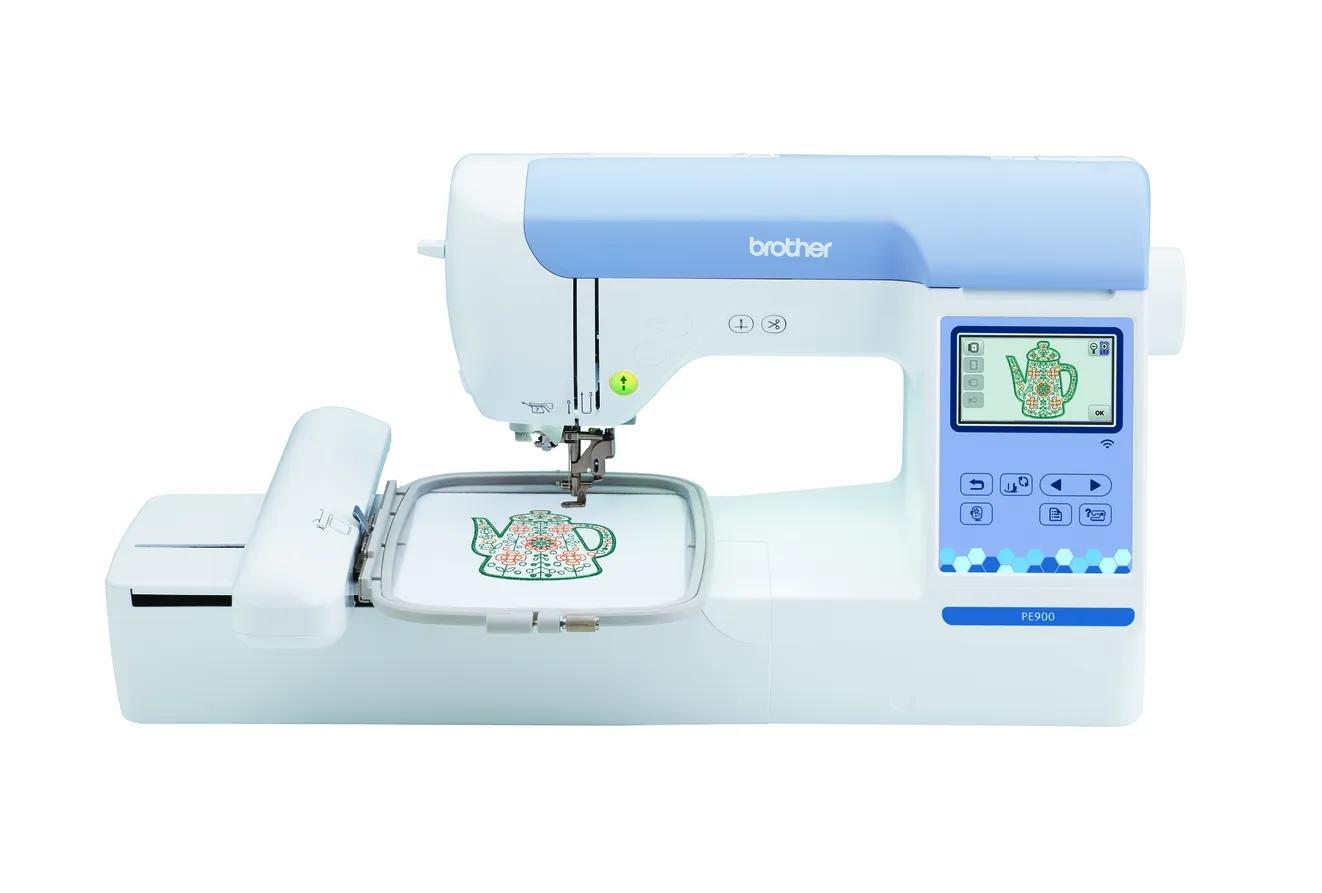 Already own a sewing machine: embroidery-only, sew and stitch at the same timeCheck price
Brother PE900
5 × 7 in · Embroidery only · Wi-Fi
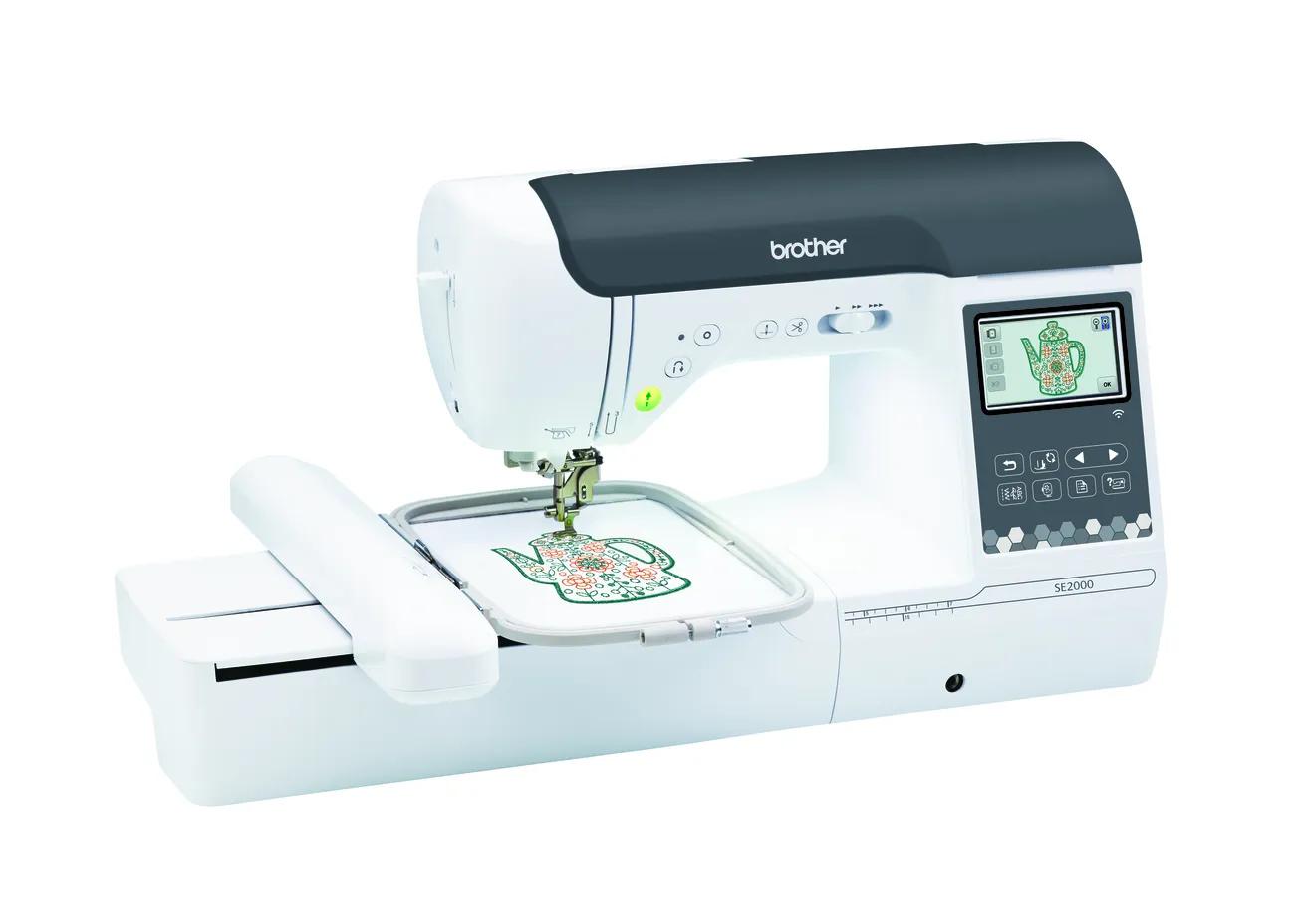 First and only machine: sewing plus the same 5 × 7 embroideryCheck price
Brother SE2000
5 × 7 in · Sewing + embroidery · Wi-Fi
Quick answer
Brother lists identical embroidery specs for the PE900 and SE2000: a 5 × 7 inch (130 × 180 mm) field, 193 designs, 13 fonts, 650 spm, Wi-Fi, Artspira and jump stitch trimming. The only real difference is that the SE2000 also sews, with 241 stitches at up to 850 spm. Buy the PE900 if you already own a sewing machine you like; buy the SE2000 if you want one machine for both.
- Embroidery specs match exactly: same field, designs, fonts, speed, connectivity and jump stitch trimming.
- The SE2000 adds 241 sewing stitches, 850 spm sewing, 10 one-step buttonholes and eight presser feet.
- Two machines (PE900 + your sewing machine) let you sew while a design stitches; a combo cannot.
Jump to a section
Our shortlist
Brother PE900
Best for: Beginners who already sew (or do not need to) and want room for T-shirt fronts, totes and most popular design sizes.
- Field5 × 7 in (130 × 180 mm)
- TypeEmbroidery only
- Built-in designs193
- Max speed650 spm
- TransferUSB, Wi-Fi, Artspira app
Why pick it
- 5 × 7 field fits most popular design sizes
- Up to 650 spm
- Wireless transfer, Artspira and jump stitch trimming
Think twice if
- No sewing functions
- Single needle: you re-thread for every color
- Designs over 130 × 180 mm need splitting and re-hooping
Brother SE2000
Best for: Beginners who want one machine for both sewing and 5 × 7 embroidery.
- Field5 × 7 in (130 × 180 mm)
- TypeSewing + embroidery
- Built-in designs193
- Max speed650 spm
- TransferUSB, Wi-Fi, Artspira app
Why pick it
- Sewing and 5 × 7 embroidery in one machine
- 241 sewing stitches
- Wireless transfer, Artspira and jump stitch trimming
Think twice if
- Embroidery field no larger than the PE900
- You cannot sew and embroider at the same time
- Converting between modes takes setup
If you compare the PE900 and SE2000 on embroidery alone, you will not find a difference. Brother lists the same 5 × 7 field, the same built-in designs and fonts, the same top speed and the same wireless features for both. The question is not which embroiders better. It is whether you want your embroidery machine to sew as well.
This guide lays out every spec side by side from Brother’s product pages and manuals (checked October 7, 2026), then helps you decide between one combo machine and an embroidery-only machine paired with a sewing machine. EmbroideryWise did not stitch on either machine; this is a research-based comparison.
Status and warranty
| PE900 | SE2000 | |
|---|---|---|
| Brother status | Current | Current |
| Warranty label on Brother’s page | 1/2/25 Year Limited | 1/2/25 Year Limited |
Both are current, so you can buy either new from an authorized reseller. Brother’s home sewing warranty statement describes the tiers as one year for parts and labor, two years for electronic pattern control and selection components, and 25 years for head parts such as shafts. It applies only to the original buyer, and only if you bought from an authorized Brother reseller in the US, so keep the dated receipt.
The discontinued predecessors are the PE800 (for the PE900) and the SE1900 (for the SE2000). If you are weighing a used one, see PE800 vs PE900 or SE1900 vs SE2000.
Embroidery specs: identical
| Embroidery spec | Brother PE900 | Brother SE2000 |
|---|---|---|
| Maximum embroidery field | 5 × 7 in (130 × 180 mm) | 5 × 7 in (130 × 180 mm) |
| Built-in embroidery designs | 193 | 193 |
| Embroidery fonts | 13 | 13 |
| Maximum embroidery speed | 650 spm | 650 spm |
| Screen | 3.7” LCD | 3.7” LCD |
| Design transfer | USB, Wi-Fi, Artspira | USB, Wi-Fi, Design Database Transfer, Artspira |
| Jump stitch trimming | Yes | Yes |
| Automatic thread cutter | Yes | Yes |
| Optional 4 × 7 in magnetic frame | Yes (sold separately) | Yes (sold separately) |
| Max stitches per design (Brother support article) | 50,000 for 5 × 7 | 50,000 for 5 × 7 |
| Max stitches per design (operation manual) | Up to 200,000 | Up to 200,000 |
| Native file format | PES | PES |
One conflict to know about: Brother’s support article on designs the machine will not recognize lists 50,000 stitches per design for a 5 × 7 hoop, while both operation manuals say up to 200,000 stitches per pattern. Typical 5 × 7 designs are well under both figures. If a very dense file will not load, check the stitch count and your manual.
Brother’s PE900 page also lists color sort and advanced automatic needle threading. The SE2000 page does not use the term “color sort,” so we mark it as not stated rather than assume. In practice, every design that fits one machine fits the other, and the same design files work on both.
Sewing specs: the real difference
| Sewing spec | Brother PE900 | Brother SE2000 |
|---|---|---|
| Machine type | Embroidery-only | Sewing and embroidery combo |
| Built-in sewing stitches | None | 241 |
| Maximum sewing speed | Not applicable | 850 spm |
| One-step buttonhole styles | None | 10 |
| Sewing lettering fonts | None | 5 |
| My Custom Stitch | Not applicable | Yes |
| Presser feet included | Embroidery foot | 8: zigzag, monogramming, overcasting, zipper, blind stitch, button fitting, buttonhole, embroidery |
| Color sort | Yes | Not stated by Brother |
| Weight | 17.64 lb | Not stated in the sources checked |
The PE900 cannot sew a seam, hem a pair of pants or make a buttonhole. The SE2000 can do all of that, then switch to embroidery when you attach the embroidery unit.
One machine or two?
This is the decision that actually separates these models.
The case for the PE900 plus a sewing machine
- Parallel work. While the PE900 stitches a design, which can take a while on a single-needle machine, your sewing machine is free for construction.
- No mode switching. The embroidery unit stays on. You are not swapping feet and attachments between jobs.
- A spare if one fails. If either machine goes in for service, you can still sew or still embroider.
- Keep the sewing machine you already like. Many sewists have a machine with features or a feel they do not want to give up.
The case for the SE2000
- One purchase, one footprint. If you are starting from nothing, one machine is simpler to buy, store and learn.
- A capable sewing side. 241 stitches, 850 spm and 10 buttonhole styles cover garments, home decor and repairs.
- Identical embroidery. You give up nothing on embroidery compared with the PE900.
The trade-off is that a combo does one job at a time. If you often want to sew and embroider in the same session, that becomes a bottleneck. If you mostly do one or the other in a given week, it hardly matters.
Which is better for common projects?
Because the embroidery side is identical, the answer depends on how much sewing each project needs.
| Project | PE900 | SE2000 | Notes |
|---|---|---|---|
| Monogramming ready-made towels, shirts and bags | Ideal | Works | No sewing needed; the PE900 is all you use |
| Embroidered T-shirts bought blank | Ideal | Works | Same 5 × 7 field for fronts and left chests |
| Quilts with embroidered blocks | Pair with a sewing machine | Does both | Piecing and quilting need a sewing machine |
| Sewing garments, then embroidering them | Pair with a sewing machine | Does both, one at a time | Two machines let both steps overlap |
| In-the-hoop projects like zipper pouches | Works | Works | Most of the work happens in the hoop |
| Hemming, repairs and alterations | Cannot | Yes | The PE900 does not sew |
What if you rarely sew?
If you sew a few hems a year, a combo can still be the sensible choice, because it saves buying and storing a second machine. But if you do not sew at all and only plan to decorate ready-made items, the SE2000’s sewing features go unused. In that case the PE900 is the more focused purchase.
What if you sew a lot?
Heavy sewists usually care about features that go beyond a beginner combo, and many already own a machine they like. Adding a PE900 leaves that machine untouched. Replacing it with an SE2000 only makes sense if the SE2000’s sewing side is at least as good as what you have now.
What neither machine solves
Neither machine stitches a design larger than 130 × 180 mm in one hooping. If a design is too big for the PE900, the SE2000 does not fix it, and vice versa. A larger accessory hoop does not expand the machine’s field either.
If you already know you want jacket backs or larger quilt blocks, compare the PE900 with the 6 × 10 NQ1700E. And if your designs are small, a 4 × 4 machine might be enough; see 4 × 4 vs 5 × 7. Check any design’s dimensions in the hoop fit checker before you buy.
Both are single-needle machines, too. You will change thread for every color on either one. For volume work with many color changes, see single-needle vs multi-needle machines.
Verdict by buyer type
| Buyer | Pick | Why |
|---|---|---|
| Owns a sewing machine they like | PE900 | Same embroidery, no duplicate sewing features, sew while it stitches |
| Has no sewing machine and wants to sew and embroider | SE2000 | One machine, same embroidery as the PE900 |
| Short on space | SE2000 | One footprint instead of two |
| Plans to sell embroidered items and also sews | PE900 + sewing machine | Both jobs can run at once |
| Owns an old or basic sewing machine and wants an upgrade | SE2000 | Replaces it and adds 5 × 7 embroidery |
| Needs designs larger than 5 × 7 | Neither | Look at the 6 × 10 NQ1700E or NQ3550W |
Choose the PE900 if…
You already sew and are happy with your machine. You get exactly the same embroidery as the SE2000 without buying a second set of sewing features, and you can keep sewing while designs stitch out.
Choose the SE2000 if…
This is your first and only machine, or your current sewing machine is due for replacement. It is Brother’s current 5 × 7 combo and is the natural pick in our best sewing and embroidery combo guide.
The bottom line
Do not let the embroidery specs decide this; they are the same. Decide based on sewing. If you already have a sewing machine you like, the PE900 is the cleaner buy. If you want one machine for everything, the SE2000 gives you identical embroidery plus a full sewing machine.
Still unsure whether you need a combo at all? Our embroidery-only vs combo guide walks through the decision step by step, and embroidery machine vs sewing machine explains what each type can and cannot do.
Spec comparison
| Model | Field | Type | Designs | Max speed | Transfer | Shop |
|---|---|---|---|---|---|---|
| Brother PE900 | 5 × 7 in | Embroidery only | 193 | 650 spm | USB, Wi-Fi, Artspira app | Check price ↗ |
| Brother SE2000 | 5 × 7 in | Sewing + embroidery | 193 | 650 spm | USB, Wi-Fi, Artspira app | Check price ↗ |
What to buy
- Shop on Amazon ↗
Cut-away stabilizerStart here
Permanent support for knits, T-shirts, sweatshirts and anything that stretches. Medium weight suits most first projects; buy enough to test before the real garment. Learn more
- Shop on Amazon ↗
Tear-away stabilizerStart here
Temporary support for stable wovens such as canvas, denim, twill and quilting cotton. Tear gently while supporting the stitches; not a substitute for cut-away on stretchy fabric. Learn more
- Shop on Amazon ↗
40 wt polyester embroidery thread setStart here
A starter range of colors in the weight most home designs are digitized for. Make sure it is embroidery thread (not all-purpose sewing thread) and the spool fits your machine pin. Learn more
- Shop on Amazon ↗
Embroidery bobbin thread or prewound bobbinsStart here
Lighter bobbin thread keeps the back of the design flat and reduces bulk. Prewound bobbins must match your machine’s bobbin class; confirm in the manual before buying. Learn more
Frequently asked questions
Does the SE2000 embroider as well as the PE900?
On paper, yes. Brother lists the same 5 × 7 field, 193 designs, 13 fonts, 650 spm top speed, wireless transfer, Artspira and jump stitch trimming for both machines.
Can the PE900 sew?
No. The PE900 is embroidery-only: it stitches designs in a hoop but cannot sew seams, hems or buttonholes. You need a separate sewing machine for construction.
Is it better to have two machines or one combo?
Two machines let you sew one project while the embroidery machine stitches another, and if one needs service you still have the other. One combo saves space and is the simpler purchase if you are starting from nothing.
Do the PE900 and SE2000 use the same hoops?
Both have a 5 × 7 inch field, and Brother says both work with its optional 4 × 7 inch magnetic frame. Check Brother’s accessory listings for compatibility before buying other frames.
Which is better for a small embroidery business?
Both are single-needle home machines with the same embroidery speed. A dedicated embroidery machine keeps your sewing machine free, which helps if you also sew, but neither replaces a multi-needle machine for volume work.
Sources & method
This guide is compiled from manufacturer documentation and specialist sources, not hands-on testing. We link every source so you can check it. Specifications change, so confirm details against your exact model manual. How we research.
- Brother PE900 product page and specifications
- Brother SE2000 product page and specifications
- Brother PE900 operation manual (PDF)
- Brother SE2000 operation manual (PDF)
- Brother support: embroidery design not recognized (stitch limits by hoop)
- Brother home sewing limited warranty statement (PDF)
- Kimberbell: a beginner’s guide to in-the-hoop machine embroidery