Buying guides
Embroidery machine vs sewing machine: what’s the difference and which first?
Embroidery machine vs sewing machine: what each one actually does, where combo machines fit, and a simple rule for which to buy first based on what you want to make.
As an Amazon Associate I earn from qualifying purchases. It does not change the price you pay. How we handle links.
Our picks at a glance
Full pros, cons & specs for each ↓Quick answer
A sewing machine joins fabric: you guide the fabric while it stitches seams. An embroidery machine stitches a digital design: the fabric sits in a hoop that the machine moves under the needle, and embroidery-only models can’t sew seams. Buy a sewing machine first if you want to make things, an embroidery machine first if you want to decorate ready-made items, and a combo like the Brother SE2000 if you want both and own neither.
- Sewing machines make things; embroidery machines decorate them from design files.
- Embroidery-only machines such as the PE900 have no sewing functions.
- Combo machines do both, one mode at a time; the SE2000 manual says sewing stitches are locked out while the embroidery unit is attached.
Jump to a section
Our shortlist
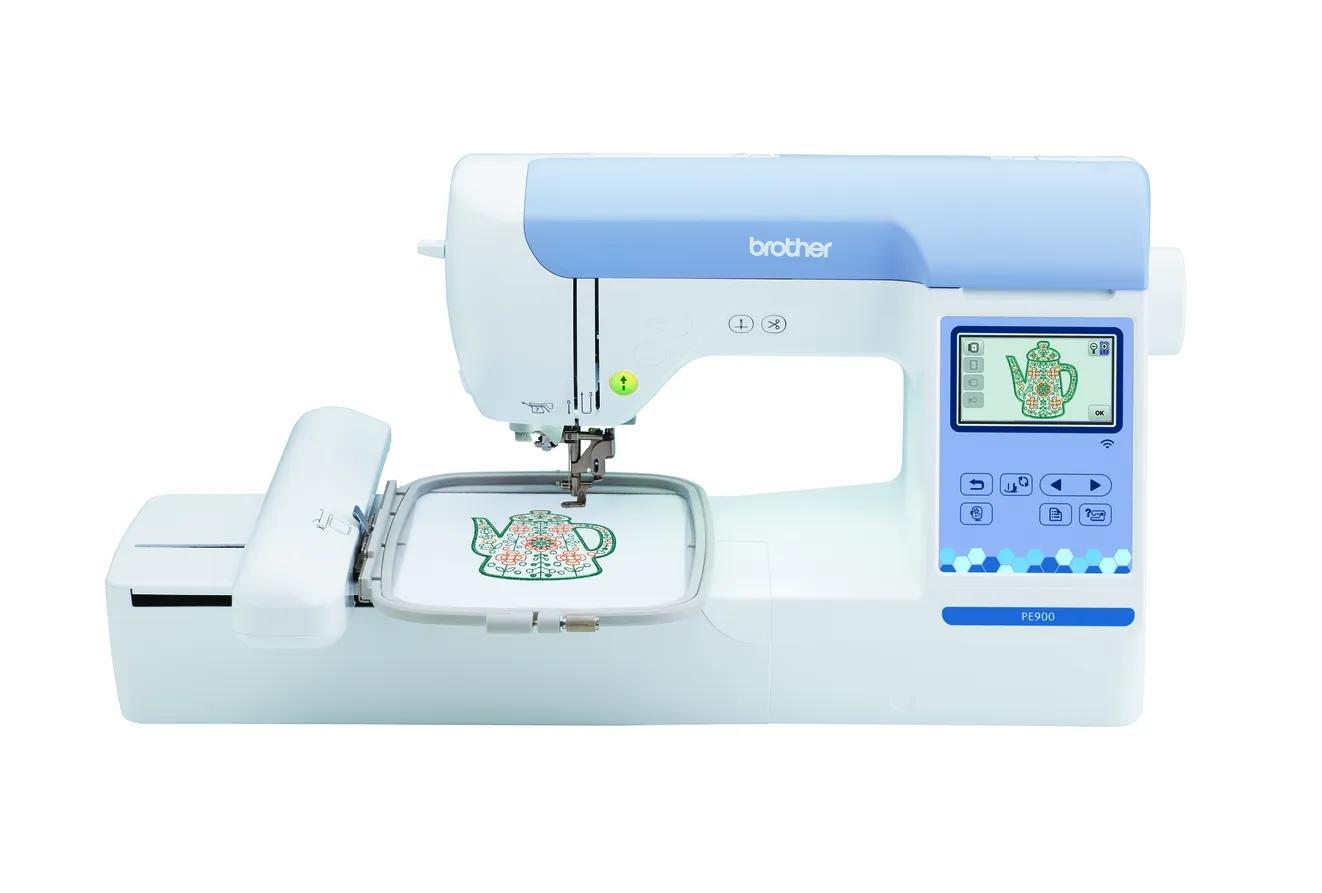
Brother PE900
Best for: Beginners who already sew (or do not need to) and want room for T-shirt fronts, totes and most popular design sizes.
- Field5 × 7 in (130 × 180 mm)
- TypeEmbroidery only
- Built-in designs193
- Max speed650 spm
- TransferUSB, Wi-Fi, Artspira app
Why pick it
- 5 × 7 field fits most popular design sizes
- Up to 650 spm
- Wireless transfer, Artspira and jump stitch trimming
Think twice if
- No sewing functions
- Single needle: you re-thread for every color
- Designs over 130 × 180 mm need splitting and re-hooping
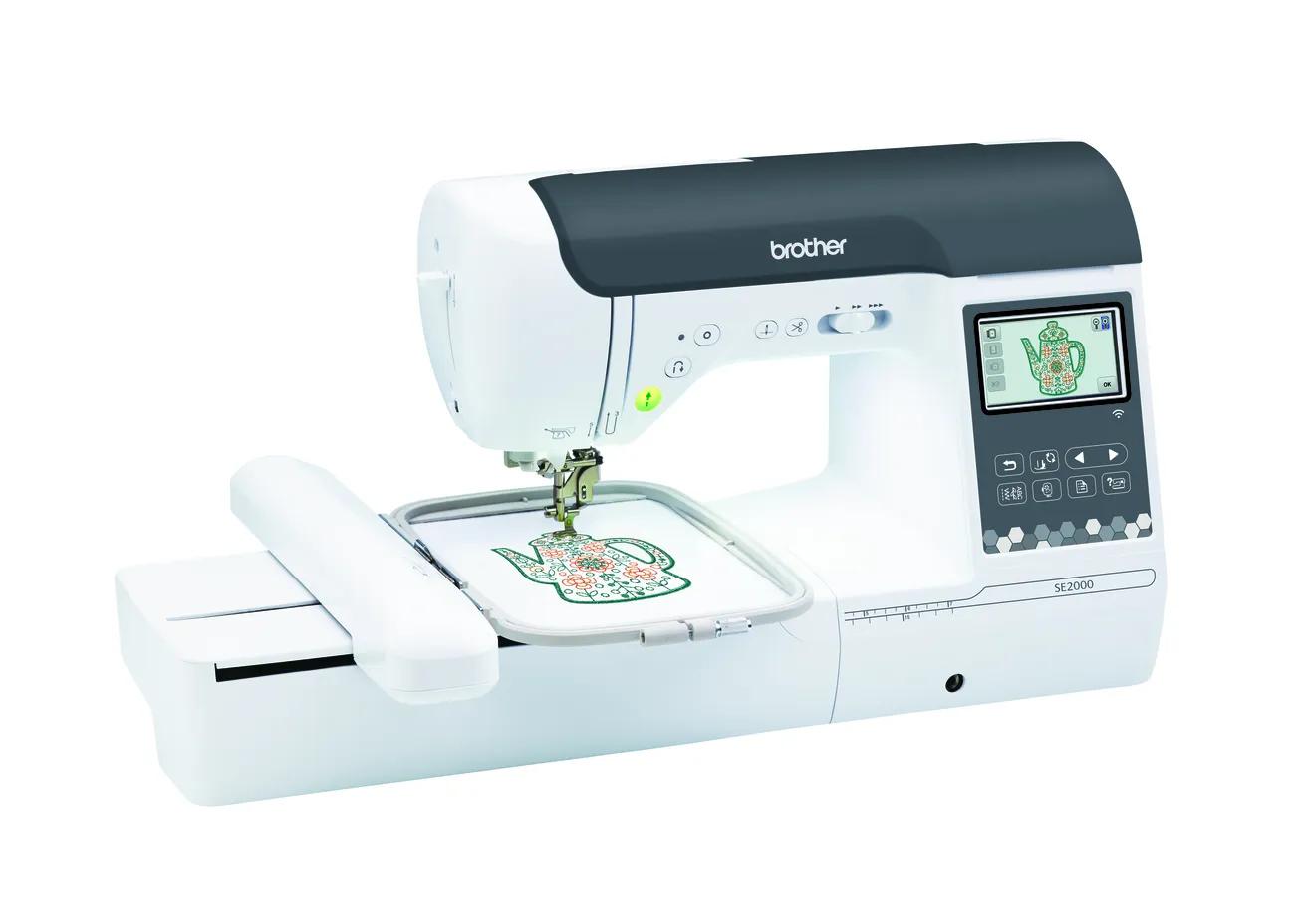
Brother SE2000
Best for: Beginners who want one machine for both sewing and 5 × 7 embroidery.
- Field5 × 7 in (130 × 180 mm)
- TypeSewing + embroidery
- Built-in designs193
- Max speed650 spm
- TransferUSB, Wi-Fi, Artspira app
Why pick it
- Sewing and 5 × 7 embroidery in one machine
- 241 sewing stitches
- Wireless transfer, Artspira and jump stitch trimming
Think twice if
- Embroidery field no larger than the PE900
- You cannot sew and embroider at the same time
- Converting between modes takes setup
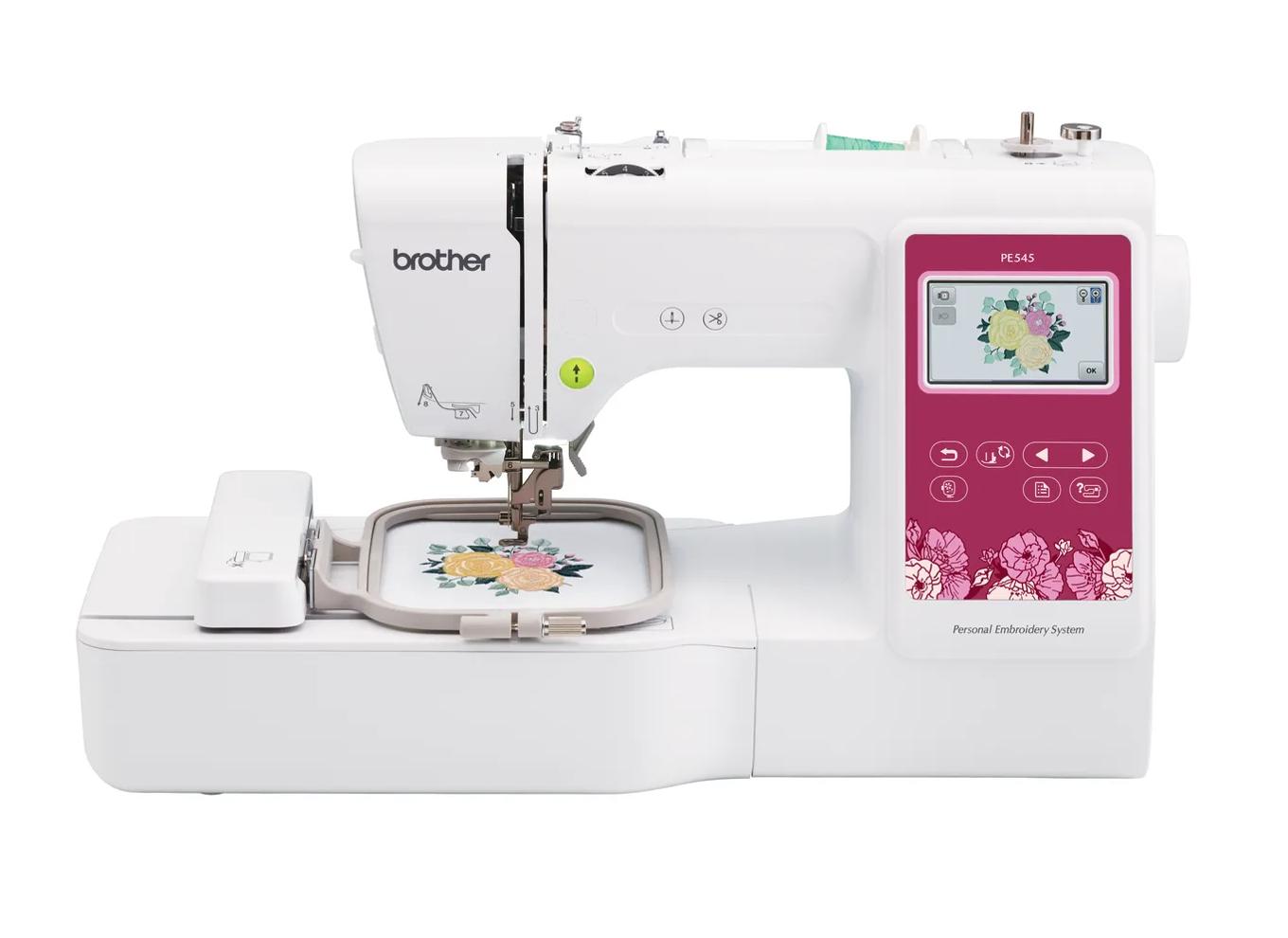
Brother PE545
Best for: Beginners who already own a sewing machine and mainly want monograms, names, patches and small motifs.
- Field4 × 4 in (100 × 100 mm)
- TypeEmbroidery only
- Built-in designs135
- Max speed400 spm
- TransferUSB, Wi-Fi, Artspira app
Why pick it
- Embroidery-only, so you are not paying for sewing features you may not need
- Wireless transfer and Artspira support, which the PE535 lacked
- 135 built-in designs and 10 fonts cover first projects
Think twice if
- 100 × 100 mm field limits design size
- Max speed of 400 spm is lower than the 5 × 7 models
- Cannot sew seams; you still need a sewing machine
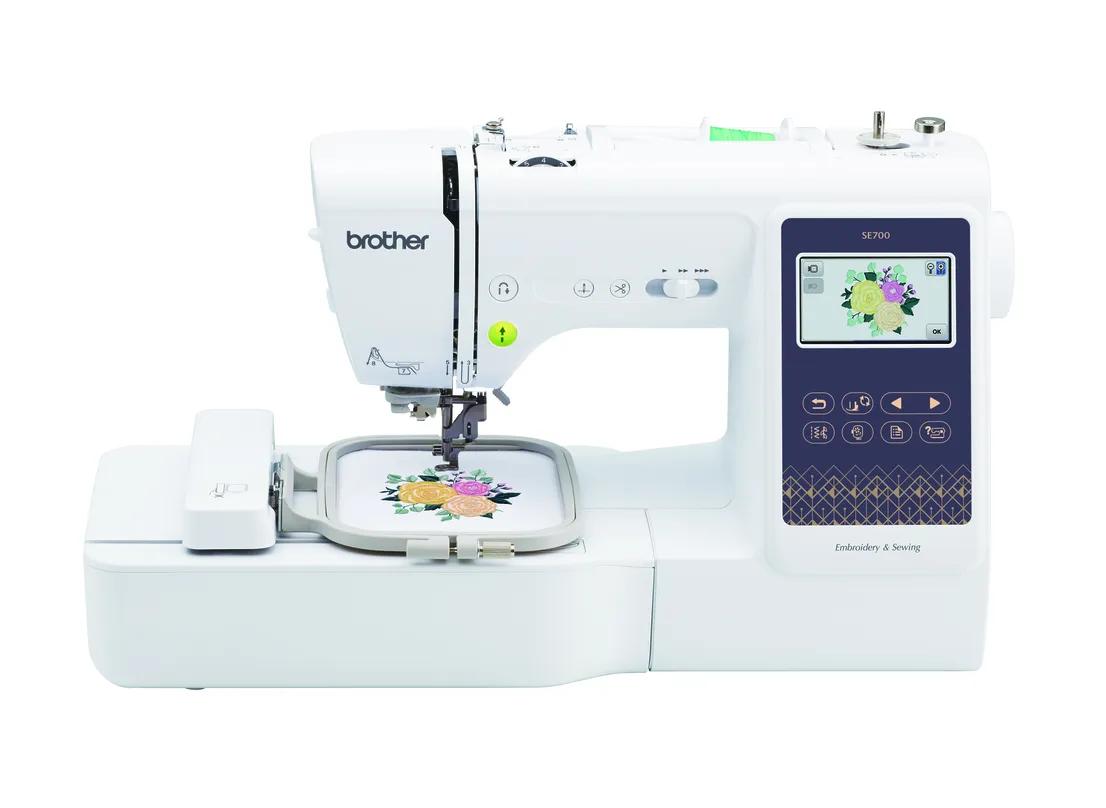
Brother SE700
Best for: Beginners who want sewing plus small embroidery in one machine, with wireless design transfer.
- Field4 × 4 in (100 × 100 mm)
- TypeSewing + embroidery
- Built-in designs135
- Max speed400 spm
- TransferUSB, Wi-Fi, Artspira app
Why pick it
- Sews and embroiders in one footprint
- Wireless transfer and Artspira app support
- 135 built-in designs and 10 fonts
Think twice if
- 4 × 4 field limits design size
- 400 spm max embroidery speed
- Switching between sewing and embroidery means attaching the embroidery unit
If you’re new to both, “embroidery machine” and “sewing machine” can sound like two versions of the same thing. They aren’t. They solve different problems, and buying the wrong one first is a common and avoidable mistake.
This guide explains what each machine does, where combo machines fit, and how to choose your first one. Specs come from Brother’s product pages and manuals; EmbroideryWise is research-based.
What does a sewing machine do?
A sewing machine joins fabric. You guide the fabric under the presser foot while the machine forms stitches, and the feed dogs move the fabric along. It sews seams, hems, zippers, buttonholes and decorative stitches.
Brother lists 241 built-in sewing stitches on the SE2000 combo and 103 on the SE700, for example. Those cover utility stitches for construction plus decorative stitch patterns.
You need a sewing machine if you want to make things from flat fabric: clothes, bags, quilts, curtains, pillow covers.
What does an embroidery machine do?
An embroidery machine stitches a design from a digital file. You hoop the fabric with stabilizer, attach the hoop to the machine’s embroidery arm, choose a design, and the machine moves the hoop under the needle to stitch it. You don’t guide the fabric; you change thread colors when the machine stops.
Designs come built in or as files. Brother support lists PES, DST, PHC and PEN as formats its machines read. You can buy, download or create designs, and add lettering on screen.
You need an embroidery machine if you want to decorate items: names on towels, logos on shirts, motifs on tote bags, patches, quilt-block designs and in-the-hoop projects, where Kimberbell describes almost all of the work happening in the hoop.
Embroidery-only machines can’t sew seams. Brother lists no sewing functions on the PE900, and the same goes for the 4 × 4 PE545.
Side by side: embroidery machine vs sewing machine
| Sewing machine | Embroidery-only machine | Combo machine | |
|---|---|---|---|
| Main job | Join and finish fabric | Stitch designs from files | Both, one at a time |
| Who moves the fabric | You (with the feed dogs) | The machine moves the hoop | Depends on mode |
| Works from design files | No | Yes | Yes, in embroidery mode |
| Needs a hoop and stabilizer | No | Yes | Yes, for embroidery |
| Sews seams and hems | Yes | No | Yes, in sewing mode |
| Example | Any sewing machine | PE900, PE545 | SE2000, SE700 |
Can a sewing machine do embroidery?
Not in the way most people mean. A regular sewing machine can sew decorative stitch patterns in a line, and you can do free-motion work by guiding the fabric yourself. It can’t read a design file and stitch a monogram or logo on its own. For that you need an embroidery unit, either in an embroidery-only machine or a combo.
Can an embroidery machine sew?
An embroidery-only machine can’t. A combo can, but not at the same time as embroidering. Brother’s SE2000 manual walks through converting the machine: turn it off, remove the flat bed attachment, attach the embroidery unit and switch to embroidery foot “Q”. The manual also notes that utility stitches can’t be selected while the embroidery unit is attached.
So a combo is two machines sharing one motor and one footprint, used one mode at a time. Our combo machine guide explains switching in more detail.
Which should you buy first?
Use what you want to make, not what sounds more impressive.
| You want to… | Buy first | Example |
|---|---|---|
| Make clothes, bags or quilts, and maybe embroider later | Sewing machine or a combo | SE2000 if you want embroidery from day one |
| Personalize ready-made items (towels, tees, totes) | Embroidery-only machine | PE900 for 5 × 7, PE545 for 4 × 4 |
| Do both, and you own neither machine | Combo | SE2000 for 5 × 7, SE700 for 4 × 4 |
| Add embroidery, and you already sew | Embroidery-only machine | PE900 |
Choose an embroidery-only machine if you already have a sewing machine you like, or you only want to decorate ready-made items. You don’t pay for sewing features twice, and you can sew and embroider at the same time on two machines.
Choose a combo if you own neither machine, have limited space, and will sew and embroider in separate sessions. The SE2000’s embroidery specs match the PE900, so you don’t give up embroidery capability by choosing the combo.
Choose a sewing machine first if you mainly want to make things and embroidery is a “someday” idea. You can add an embroidery-only machine later.
Our embroidery-only vs combo guide goes deeper on that choice, and the machine finder narrows the list in five questions.
Is a combo’s sewing side a real sewing machine?
For most beginner sewing, yes. Brother lists the SE2000 with 241 built-in stitches and sewing speeds up to 850 stitches per minute, and its manual describes removing the flat bed attachment to sew on the free arm, which helps with sleeves and cuffs. The SE700 and SE630 list 103 stitches.
The trade-off is not stitch capability so much as availability. While the embroidery unit is attached, the sewing side is unavailable, and if the machine goes in for service you lose both. If you sew a lot and embroider a lot, two machines avoid that.
Which machines fit each path?
Brother PE900: embroidery-only, 5 × 7
Brother lists a 5 × 7 field, 193 designs, 13 fonts, up to 650 spm, Wi-Fi and jump stitch trimming. It’s for people who already sew or only want to decorate ready-made items. Skip it if you have no sewing machine and want to make things too.
Brother SE2000: combo, 5 × 7
The same embroidery specs as the PE900, plus 241 sewing stitches. It’s for first-time buyers who want both in one machine. Skip it if you already own a sewing machine you like; see our PE900 vs SE2000 comparison.
Brother PE545: embroidery-only, 4 × 4
Brother lists a 4 × 4 field, 135 designs, 10 fonts, 400 spm and Wi-Fi. It’s for sewists adding small monograms and motifs. Skip it if you want T-shirt fronts or tote designs.
Brother SE700: combo, 4 × 4
A 4 × 4 field with 135 designs, 103 sewing stitches, Wi-Fi and Artspira. It’s for beginners who want both on a smaller scale. Skip it if you can already picture designs larger than 4 × 4; our SE700 vs SE2000 comparison explains the jump.
What else does each one need?
Sewing mostly needs fabric, all-purpose thread, pins or clips and patterns. Embroidery has its own supply list:
- Stabilizer under the fabric for every design. OESD describes cut-away for fabrics that stretch, such as knits, and tear-away for stable fabrics.
- Embroidery thread. Brother recommends 40-weight rayon or polyester embroidery thread for most embroidery.
- Embroidery bobbin thread. Brother’s manual says to use the included or recommended embroidery bobbin thread; the included bobbin case is set for 90-weight bobbin thread.
- Designs. Built-in designs get you started; see our free embroidery designs guide.
The embroidery supplies checklist lists the essentials, and cut-away vs tear-away explains the stabilizer choice.
What does each one cost you in time and learning?
Sewing skill builds over many projects: guiding fabric straight, reading patterns, fitting garments. Embroidery shifts the skill to preparation: picking the right stabilizer, hooping fabric taut without stretching it, and placing the design where you want it.
Many beginners find their first embroidery project quicker to finish than their first sewing project, because the machine does the stitching. The catch is that preparation mistakes show clearly in the result. Our how to use an embroidery machine guide walks through a first stitch-out.
Common first-machine mistakes
These come up repeatedly when people choose between the two:
- Buying an embroidery-only machine to make clothes. It can decorate a finished shirt but can’t sew one. If garment-making is the goal, you need sewing capability.
- Buying a combo when you already sew. You pay for a second set of sewing features you won’t use. An embroidery-only model with the same field is the better fit.
- Choosing by stitch count. Hundreds of decorative sewing stitches matter less than the embroidery field if embroidery is why you’re buying. The SE700 and SE2000 differ far more in field size (4 × 4 vs 5 × 7) than in what most beginners do with sewing stitches.
- Forgetting the embroidery supplies. Stabilizer, embroidery thread and bobbin thread are ongoing costs a sewing-only budget doesn’t include. The startup budget calculator adds them up.
- Underestimating hoop size. Outgrowing a 4 × 4 field is a common reason people replace a first embroidery machine. Measure a design you want to make in the hoop fit checker before you buy.
What do you give up with each choice?
| Choice | You give up |
|---|---|
| Sewing machine only | Designs from files, monograms, logos |
| Embroidery-only machine | Seams, hems and garment construction |
| Combo | Sewing and embroidering at the same time; setup time when switching modes |
| Two separate machines | Desk space and a higher total cost |
If you want to see what embroidery machines are used for before deciding, our guide to what you can make with an embroidery machine has project ideas to help you decide.
Spec comparison
| Model | Field | Type | Designs | Max speed | Transfer | Shop |
|---|---|---|---|---|---|---|
| Brother PE545 | 4 × 4 in | Embroidery only | 135 | 400 spm | USB, Wi-Fi, Artspira app | Check price ↗ |
| Brother SE700 | 4 × 4 in | Sewing + embroidery | 135 | 400 spm | USB, Wi-Fi, Artspira app | Check price ↗ |
| Brother PE900 | 5 × 7 in | Embroidery only | 193 | 650 spm | USB, Wi-Fi, Artspira app | Check price ↗ |
| Brother SE2000 | 5 × 7 in | Sewing + embroidery | 193 | 650 spm | USB, Wi-Fi, Artspira app | Check price ↗ |
Frequently asked questions
Can a regular sewing machine do embroidery?
It can sew decorative stitches, and you can do free-motion stitching by guiding the fabric yourself, but it can’t stitch a digitized design file. For that you need an embroidery machine or a combo with an embroidery unit.
Can an embroidery machine sew clothes?
An embroidery-only machine can’t. Brother lists no sewing functions on the PE900, for example. A combo such as the SE2000 can sew, but in sewing mode, not while the embroidery unit is attached.
Should I buy a combo or two separate machines?
A combo saves money and space if you own neither machine. Two machines are better if you already sew, switch often between sewing and embroidery, or expect to upgrade the embroidery side later.
Is embroidery harder to learn than sewing?
It is different. Embroidery relies on design files, hooping and stabilizer choice, while sewing relies on guiding fabric and following patterns. Many beginners find first embroidery projects quick to start because the machine does the stitching.
Sources & method
This guide is compiled from manufacturer documentation and specialist sources, not hands-on testing. We link every source so you can check it. Specifications change, so confirm details against your exact model manual. How we research.