Brother · Sewing + embroidery · 6 × 10 in
Brother NQ3550W review: specs, pros, cons & who it’s for
- Embroidery field
- 6 × 10 in (160 × 260 mm)
- Machine type
- Sewing + embroidery
- Built-in designs
- 258
- Max speed
- 850 spm
- Design transfer
- USB, Wi-Fi, Artspira app
As an Amazon Associate I earn from qualifying purchases. It does not change the price you pay. How we handle links.
The short verdict
Choose it ifSewists who want one machine with a large 6 × 10 embroidery field.
Skip it ifAnyone whose projects fit 5 × 7; the SE2000 covers that for less machine.
Brother NQ3550W video review

Video by Sew It Online | Sewing, Quilting & Embroidery on YouTube. Independent creator content, shown as a reference. It is not part of our scoring.
Overview
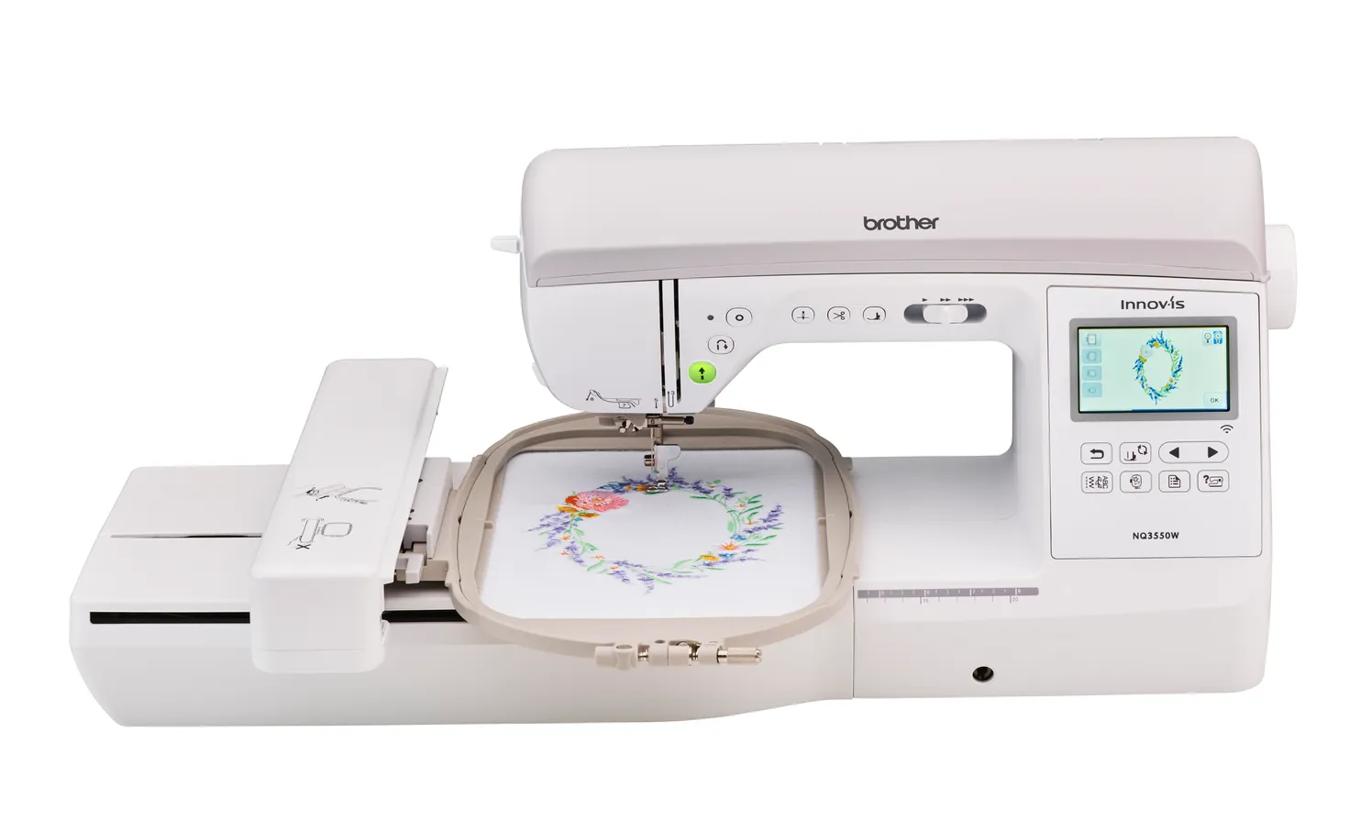
The NQ3550W is Brother’s 6 × 10 sewing and embroidery combo. Brother lists 258 embroidery designs, 291 built-in stitches, a 6 × 10 inch maximum embroidery area, a 3.67 inch touch screen and speeds up to 850 stitches per minute for embroidery and sewing.
It pairs a larger field with full sewing features, which makes it relevant for quilters and home-decor sewists who want bigger embroidered blocks.
Brother NQ3550W specifications
| Machine type | Sewing + embroidery combination |
|---|---|
| Max embroidery field | 160 × 260 mm (6 × 10 in) |
| Built-in embroidery designs | 258 |
| Built-in fonts | 13 |
| Built-in sewing stitches | 291 |
| Max embroidery speed | 850 stitches per minute |
| Display | 3.67" color LCD touch screen |
| Design transfer | USB, Wi-Fi, Artspira app |
| Native file format | PES |
| Notable features | Jump stitch trim · Thread cutter button |
| Status | Listed on the manufacturer site |
Pros and cons
Strengths
- 6 × 10 field plus 291 sewing stitches
- Up to 850 spm
- Wi-Fi, Artspira and USB
Limitations
- Smaller screen than the NQ1700E
- Included hoop list comes from a shared Brother accessories document
- More machine than many beginners need
Brother NQ3550W6 × 10 in · Sewing + embroidery · Wi-Fi
Check price on Amazon ↗Will your designs fit?
The 6 × 10 in label is rounded. The real limit is 160 × 260 mm. Measure the stitched design, not the fabric or the outside of the hoop, and remember a design can sometimes fit after a 90° rotation. Use the hoop fit checker with this machine preselected.
How it compares
The machines below are the closest alternatives by field size and workflow.
| Model | Field | Type | Designs | Max speed | Transfer | Shop |
|---|---|---|---|---|---|---|
| Brother NQ3550W | 6 × 10 in | Sewing + embroidery | 258 | 850 spm | USB, Wi-Fi, Artspira app | Check price ↗ |
| Brother SE2000 | 5 × 7 in | Sewing + embroidery | 193 | 650 spm | USB, Wi-Fi, Artspira app | Check price ↗ |
| Brother NQ1700E | 6 × 10 in | Embroidery only | 258 | 850 spm | USB, Wi-Fi, Artspira app | Check price ↗ |
| bernette 79 | 6.3 × 10.2 in | Sewing + embroidery | 208 | 850 spm | USB | Check price ↗ |
| Janome Memory Craft 9850 | 6.7 × 7.9 in | Sewing + embroidery | 175 | 800 spm | USB | Check price ↗ |
Frequently asked questions
What size designs can the Brother NQ3550W embroider?
Brother lists a maximum embroidery field of 160 × 260 mm (about 6.3 × 10.2 in), marketed as 6 × 10 in. A design must fit inside that field; a larger design needs splitting in software and re-hooping, or a machine with a bigger field.
Can the Brother NQ3550W sew as well as embroider?
Yes. The Brother NQ3550W is a combination machine with 291 built-in sewing stitches. You remove or attach the embroidery unit to switch between sewing and embroidery.
How do you get designs onto the Brother NQ3550W?
Brother lists these transfer options: USB, Wi-Fi, Artspira app. The native format is PES. Always check that a purchased design is supplied in a compatible format and at a size that fits the 6 × 10 in field.
How many built-in designs does the Brother NQ3550W have?
Brother lists 258 built-in embroidery designs and 13 built-in lettering fonts. Built-in designs are enough for first projects; most people eventually buy or download additional designs.
Is the Brother NQ3550W good for beginners?
Sewists who want one machine with a large 6 × 10 embroidery field. It is less suited to: anyone whose projects fit 5 × 7; the SE2000 covers that for less machine. This verdict is based on published specifications, not hands-on testing.
How we evaluated it
We compare published manufacturer specifications against beginner needs: design size, sewing vs embroidery workflow, design transfer and built-in content. We have not tested this machine hands-on, and we never invent ratings. Read our methodology.